Vaults and credentials
Store the credentials an agent's tools use.
An agent earns its keep the moment it reaches a real system, and reaching one takes a real credential. The one place that credential must never end up is in the model’s context.
A vault keeps credentials. A session is started with the vaults it may draw on; when one of its tools reaches out, Subako finds the credential that matches and attaches it to the call. The model, and the engine running it, never see it — and once added, nobody sees it again in the console either.
Creating a vault
Vaults › New vault asks for a name. Anyone in the workspace can manage its vaults.
A common layout is one vault per customer or per environment: the agent version stays the same, and the session says whose credentials it works with.
Adding a credential
Add credential asks how Subako signs in:
| Sign-in | For | What you give |
|---|---|---|
| Sign in with OAuth | An MCP server protected by OAuth | Its URL. Subako sends you to the server’s sign-in page, and keeps the credential once you approve there. |
| Bearer token | An MCP server that takes a static token | Its URL and the token, sent as the Authorization header. |
| HTTP headers | A function sending requests to an origin | The origin — scheme, host, and port — and the headers every request there carries. |
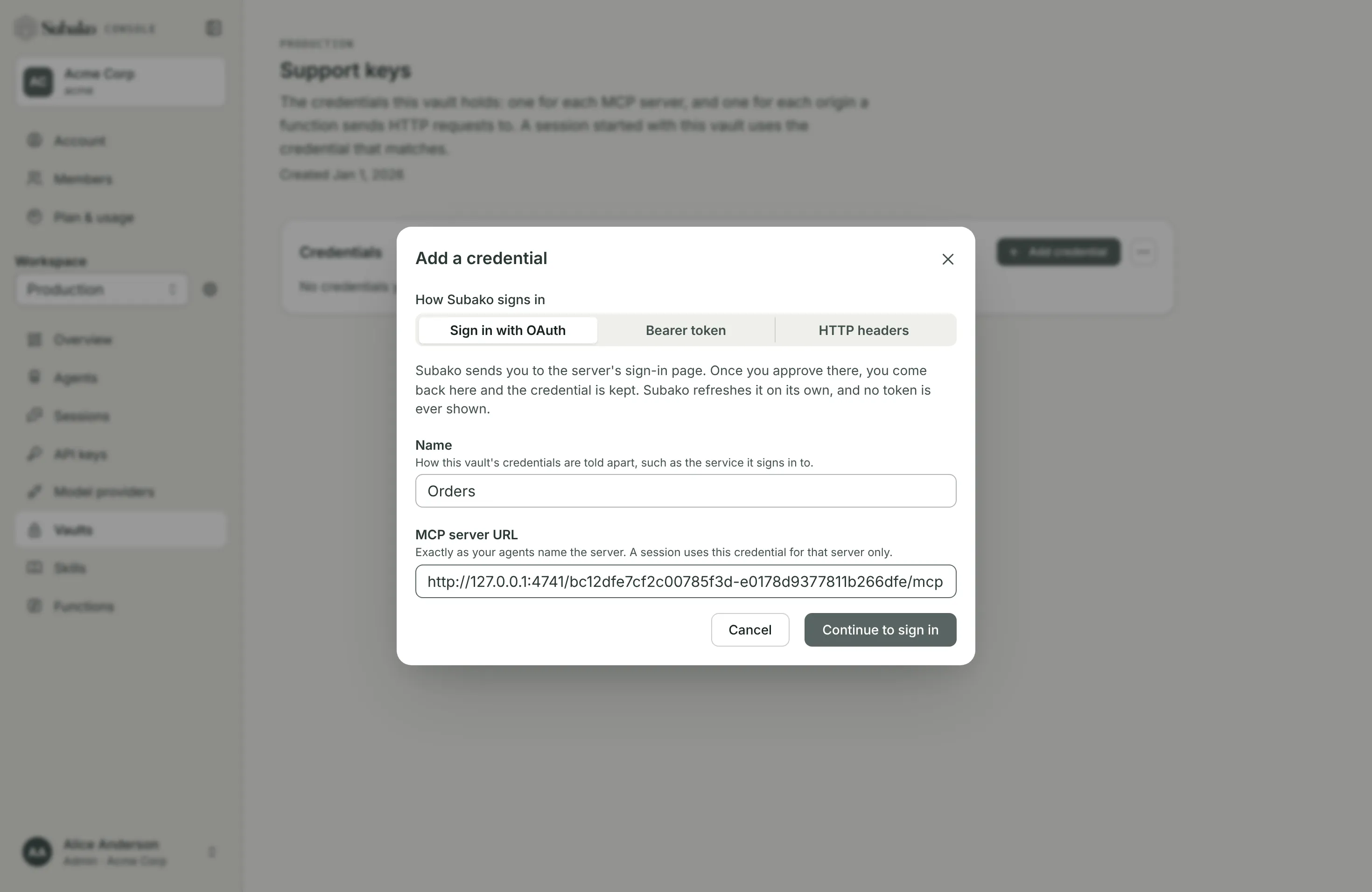
With OAuth, Continue to sign in leaves for the server’s own sign-in page and comes back with Signed in. The credential is connected. Subako refreshes the token on its own; none is ever shown.
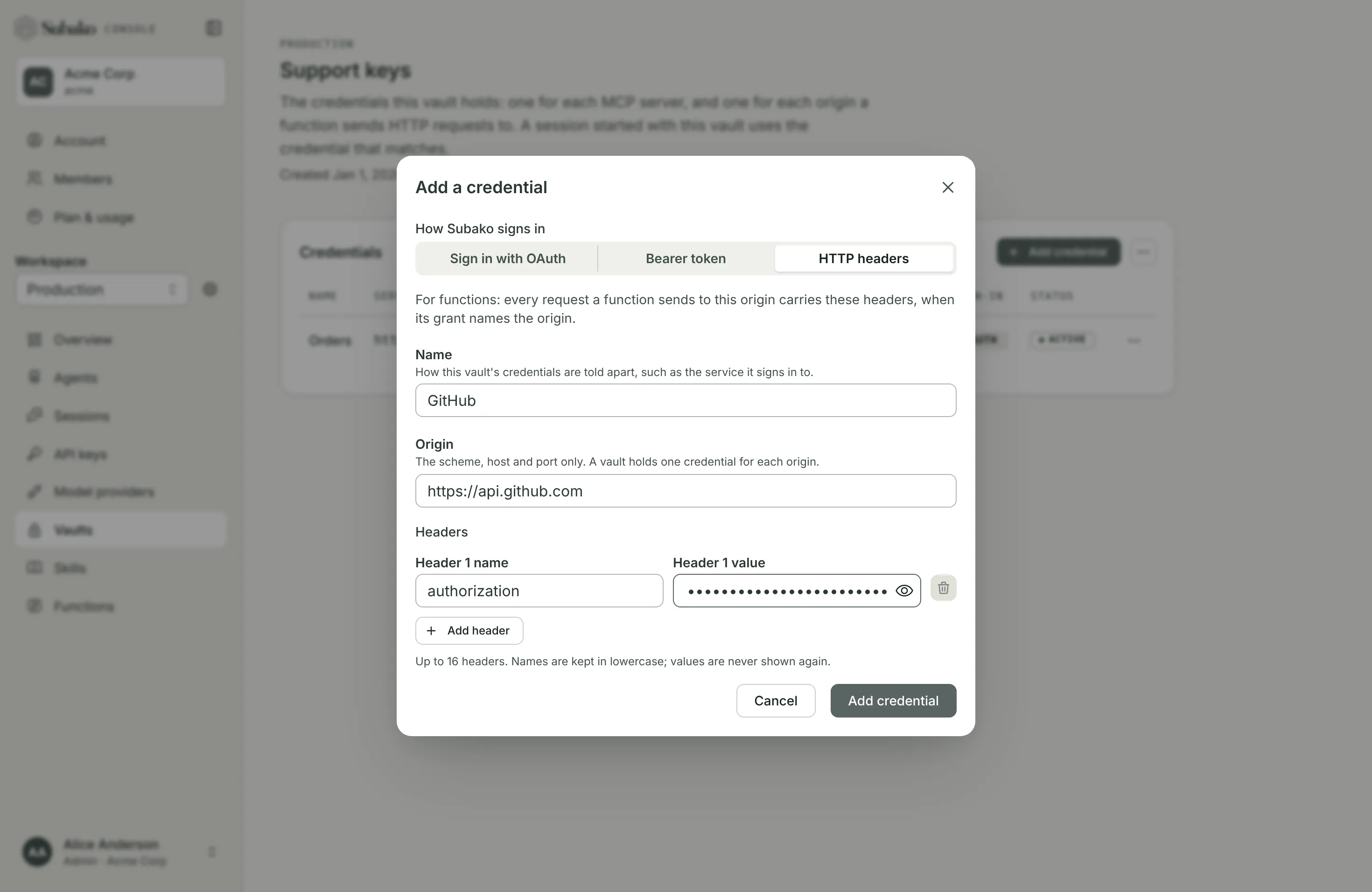
A vault holds one credential per MCP server URL and one per origin. The URL must match the one the agent version names exactly.
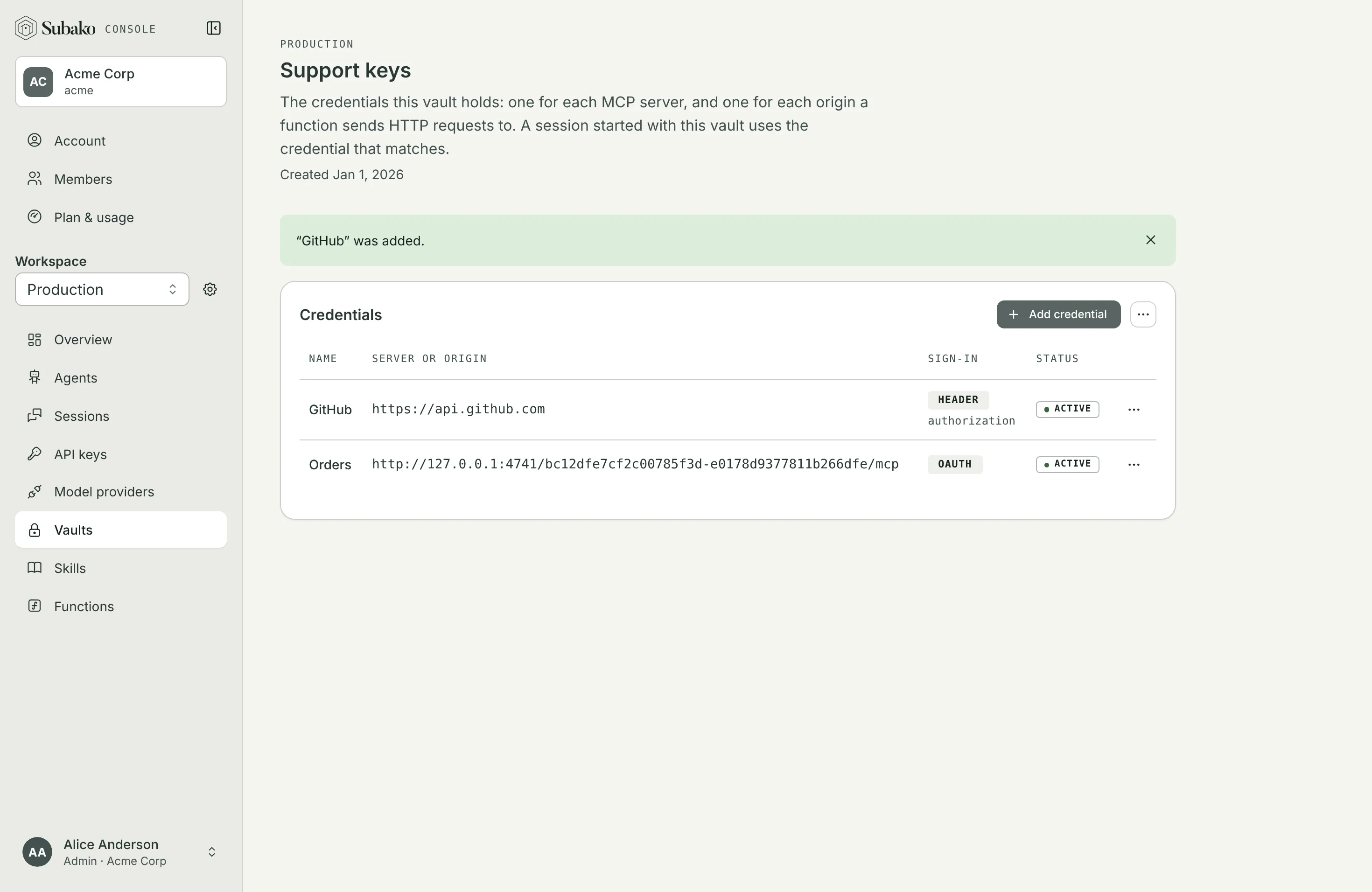
Keeping credentials working
Each credential’s menu offers:
- Test connection — asks the MCP server whether it accepts the credential now.
- Reconnect — for an OAuth credential whose provider stopped accepting it, shown as Needs reconnecting: sign in again and the same credential is good again.
- Delete — purges the secret and frees its URL or origin, so a new credential can take it. That is how you rotate a token.
Vault actions renames the vault or deletes it with every credential in it.
Which credential a call gets
A session’s tools reach out with a credential only from the vaults the session was started with:
- An MCP server call carries the credential for the server’s URL.
- A function’s HTTP request carries the headers for the request’s origin, when its grant names that origin. A function never sees them: they are added after the request leaves it.
If none of the session’s vaults hold a match, the call goes without one. If more than one holds a credential for a function’s origin, its requests there fail rather than guess.