Quickstart
Let an agent read Word and PDF files with the anydoc package.
Someone uploads q3-review.docx to a session and asks the agent what they need to decide. The answer is in the file. This page is about getting it out — and why a function is the right way to do it.
The problem: the agent cannot read the file
A .docx is not text. It is a ZIP archive of XML files — the paragraphs in one, the styles in another, tables and numbering spread across both — and a model that is handed its bytes sees noise. The same goes for .pdf, .xlsx, and .pptx: almost every document people actually work with is a binary format.
The obvious ways around this all go through the model’s context:
- Paste the file into the conversation. Base64-encoding a 2 MB document into a message costs more tokens than most context windows hold — for bytes the model cannot parse anyway.
- Hand it to an MCP server. An MCP server is a separate service. It cannot see the session’s files, so the document would still have to travel through the model — as the arguments of a tool call — to reach it, with the same cost and a context window as the size limit.
- Ask the user to convert it first. That pushes the work back onto the person the agent was meant to help.
None of these is what we want. The document should never pass through the model at all.
The idea: a tool call is an operation on files
The session already has a filesystem: its Session Volume, where the uploaded document sits at /volume/data/uploads/q3-review.docx. So let the tool work there:
The model names a file
It calls the tool with a path — a few dozen tokens — not with the document.
The tool computes, next to the file
It reads the bytes from the volume, and does the work a model cannot: unpacking the archive, parsing the XML, laying out tables as Markdown.
The result is a file, or a small answer
As its side effect, the tool can write its output back to the volume —
q3-review.md, ready for the next tool — and it answers the model with
only what the model needs: the Markdown of a short document, or the path
and size of a long one.
The model decides what to do; the computation and the bytes stay on the filesystem. That is what a Subako Function is: code that runs beside the session’s volume, in an environment Subako hosts, with no server of your own.
anydoc, as a function
anydoc is an open-source Rust library that does exactly the conversion we need: given a document’s bytes, it detects the format — Word, PowerPoint, Excel, OpenDocument, RTF, EPUB, CSV, or text-based PDF — and returns the text as GitHub-Flavored Markdown. On its own it is just a library: something has to run it, next to the file.
The anydoc example wraps it in one function with Subako’s Rust SDK. This is its core, simplified from the example’s source:
#[derive(Deserialize, JsonSchema)]
struct ConvertInput {
    /// Path of the document on the session's Volume, under `/volume/tmp` or `/volume/data`.
    path: String,
    /// Where the Markdown goes: back in the reply (the default), or into a Volume file.
    #[serde(default)]
    output: MarkdownOutput,
}

/// Convert a document on the Volume to GitHub-Flavored Markdown. Reads Word
/// (doc, docx), PowerPoint (ppt, pptx), Excel (xls, xlsx, xlsb), OpenDocument
/// (odt, ods, odp), RTF, EPUB, CSV and text-based PDF. …
#[function]
fn convert_to_markdown(input: ConvertInput) -> Result<Converted, ToolError> {
    // Read the document from the session's volume…
    let bytes = std::fs::read(&input.path)?;
    // …let anydoc do the conversion…
    let format = Format::from_bytes(&bytes).ok_or("unrecognized file")?;
    let markdown = anydoc::to_markdown_bytes(&bytes, format)?;
    // …and answer with the text, or write it to a file and answer with where it is.
    let markdown = match input.output {
        MarkdownOutput::Inline => Markdown::Inline { text: markdown },
        MarkdownOutput::File { path } => {
            std::fs::write(&path, &markdown)?;
            Markdown::File { bytes: markdown.len(), path }
        }
    };
    Ok(Converted { format: format_name(format).into(), markdown })
}

package! {
    name: "anydoc",
    description: "Converts office documents, EPUB, CSV and text-based PDFs to Markdown with anydoc.",
    functions: [convert_to_markdown],
}
That is all the integration there is:
#[function]turns an ordinary Rust function into a tool. Its doc comment is the description the model reads, andConvertInputbecomes the input schema the model calls it with.- The file access is plain
std::fs, because the volume is mounted in the function’s filesystem. package!makes the crate a function package: built for WebAssembly, it is onemodule.wasmthat Subako can run anywhere, for any session, with nothing to deploy.
The rest of this page builds that package, uploads it, and lets an agent use it.
Build anydoc
It takes Rust to build the package.
git clone https://github.com/subako-ai/subako-function-examples
cd subako-function-examples/rust/anydoc
./package.sh        # writes dist/anydoc-function.tar.gz
package.sh builds the module for WASI preview 1 — the example’s rust-toolchain.toml has rustup install that target — and packs it with its subako-package.json into a bundle, the archive Subako takes.
Upload it
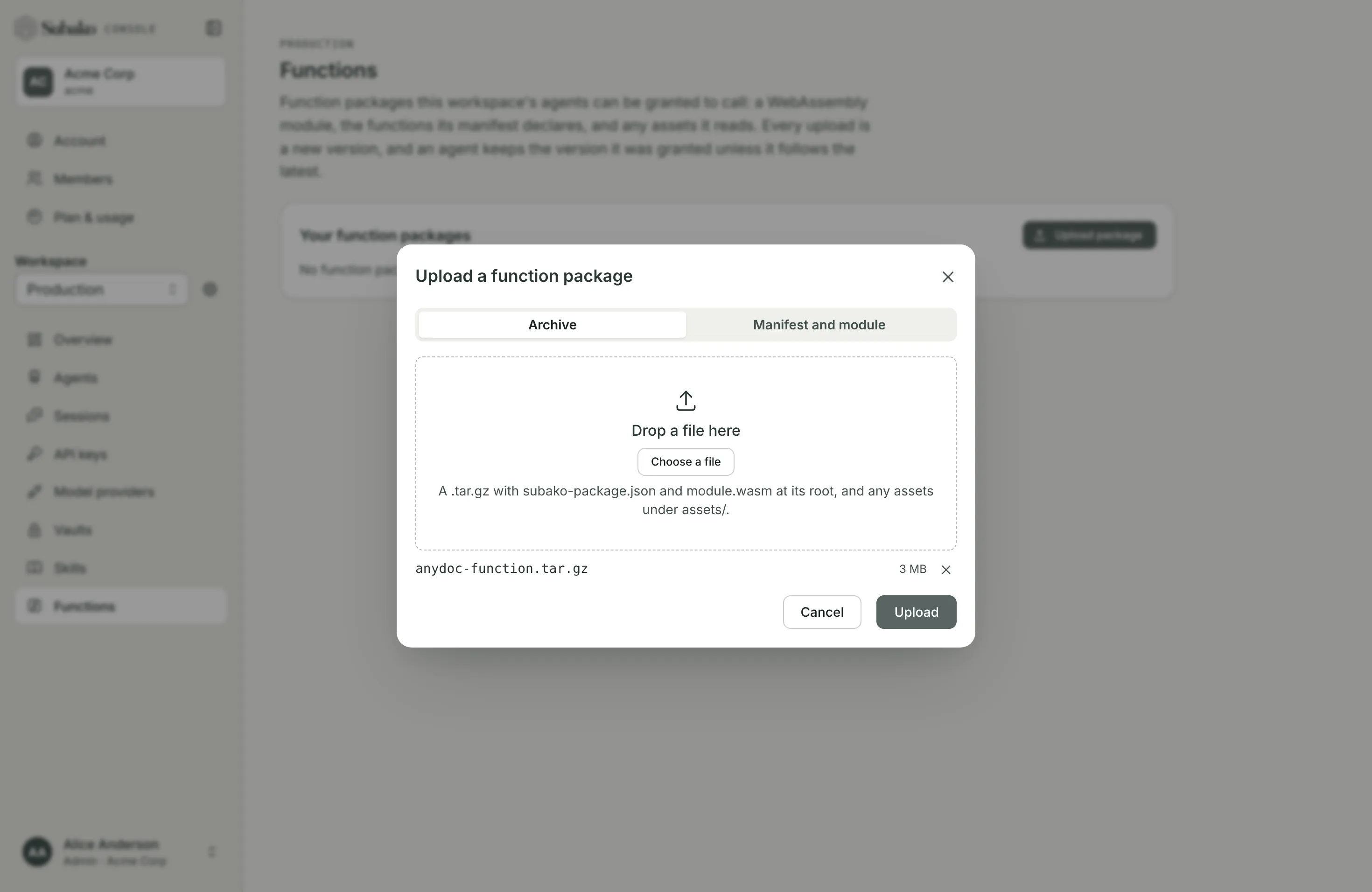
In the console, open the workspace’s Functions page and choose Upload package. Choose Archive, pick dist/anydoc-function.tar.gz, and Upload.
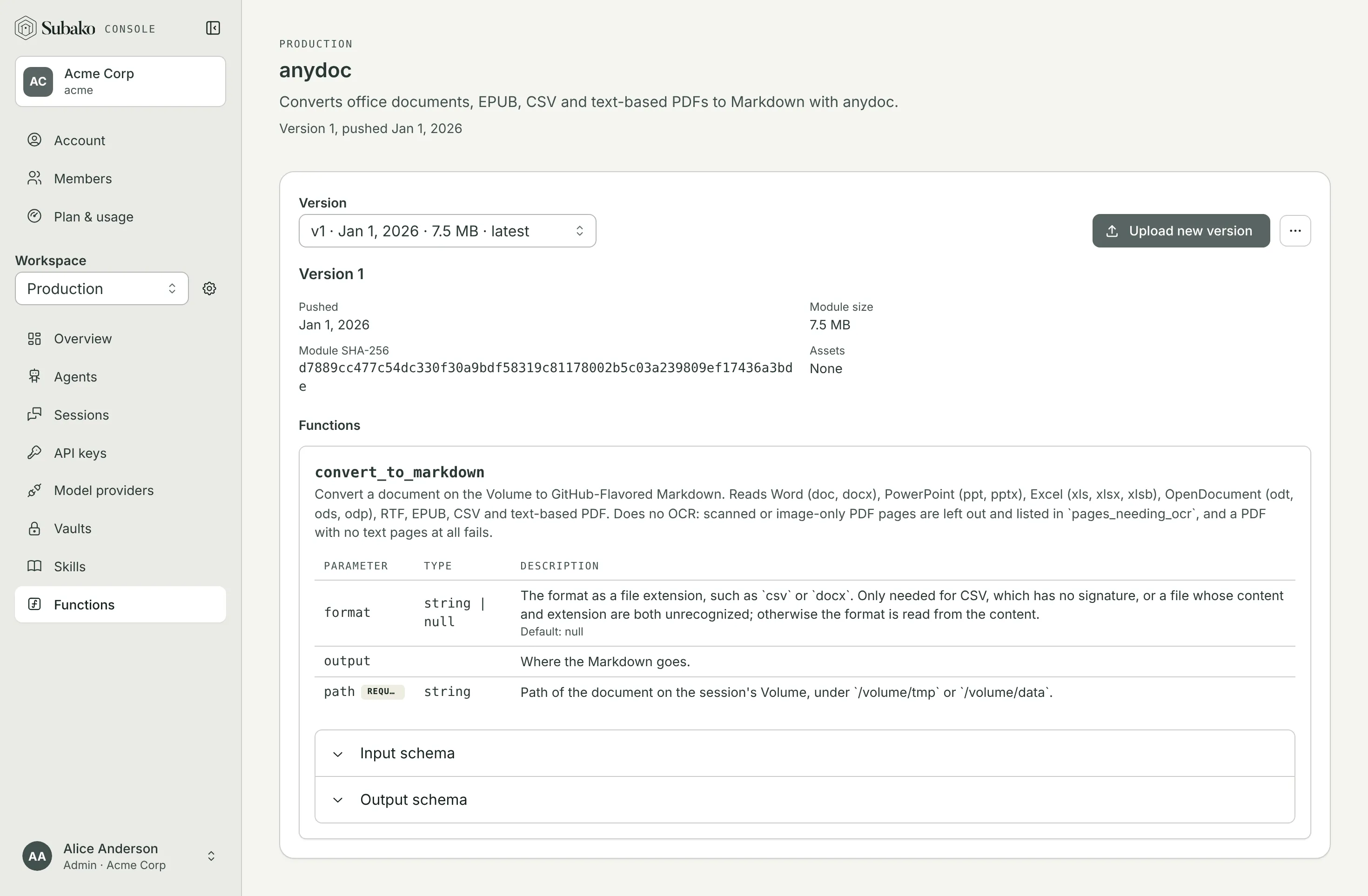
Subako runs the module once to ask which tools it offers, then opens the package’s page: the tool, its description, and its parameters, exactly as the model will see them.
Grant it to an agent
Open the agent — or create one, as in the quickstart — and Publish new version. Under Tools › Function packages, Add package, choose This workspace, and pick anydoc.
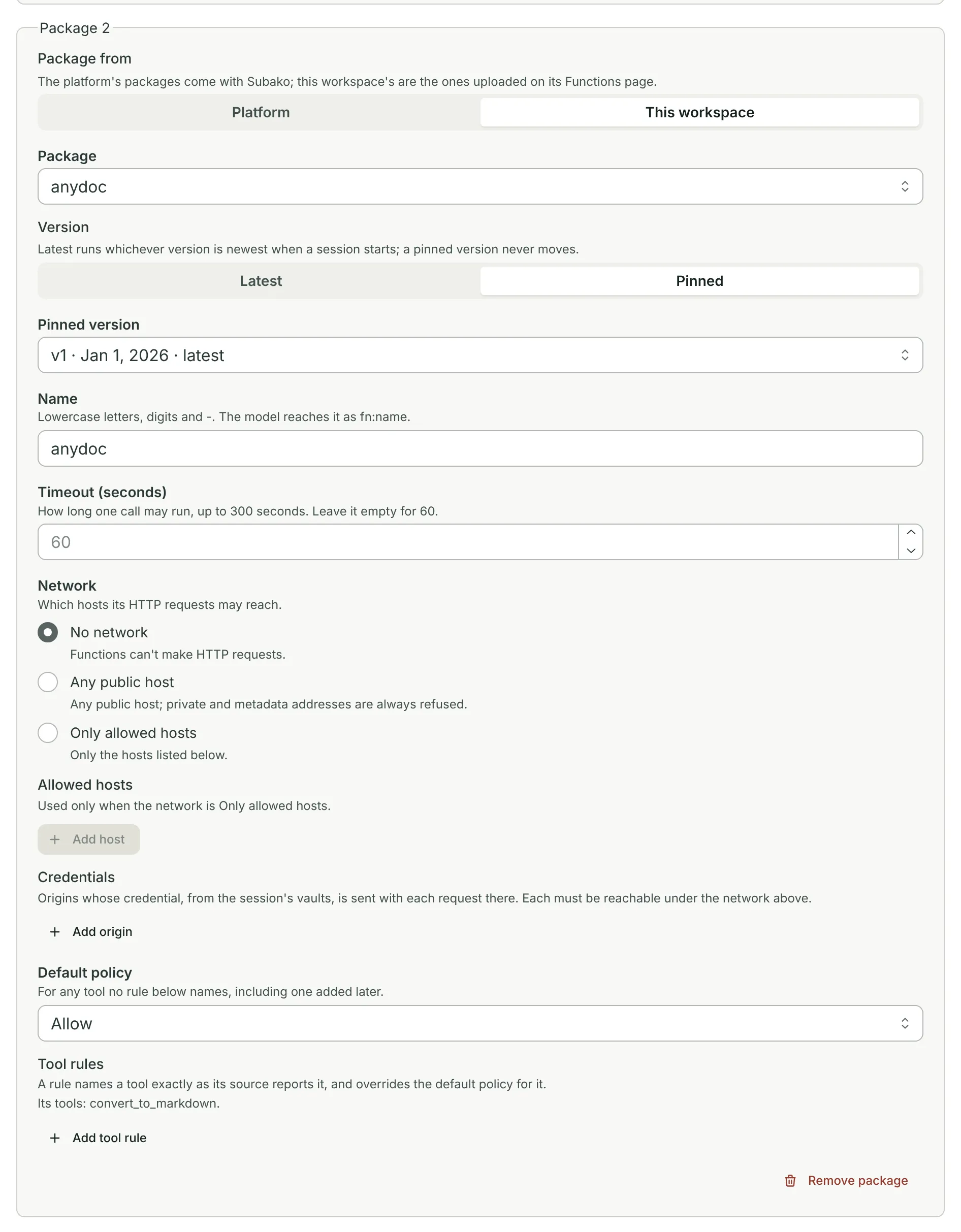
The defaults suit anydoc: it needs no network, and a call finishes well within 60 seconds. Then, under Session Volume, switch on Give functions Data (/volume/data), so files uploaded to a session are kept for as long as the session is.

Granting the platform’s files package beside it lets the agent find a document it was not given the path of, and read a long conversion a page at a time. Publish version when you are done.
Give it a document
Start a session on the agent, open its Session Volume tab, and choose Upload file. Upload the document into Data (/volume/data), under a folder such as uploads.
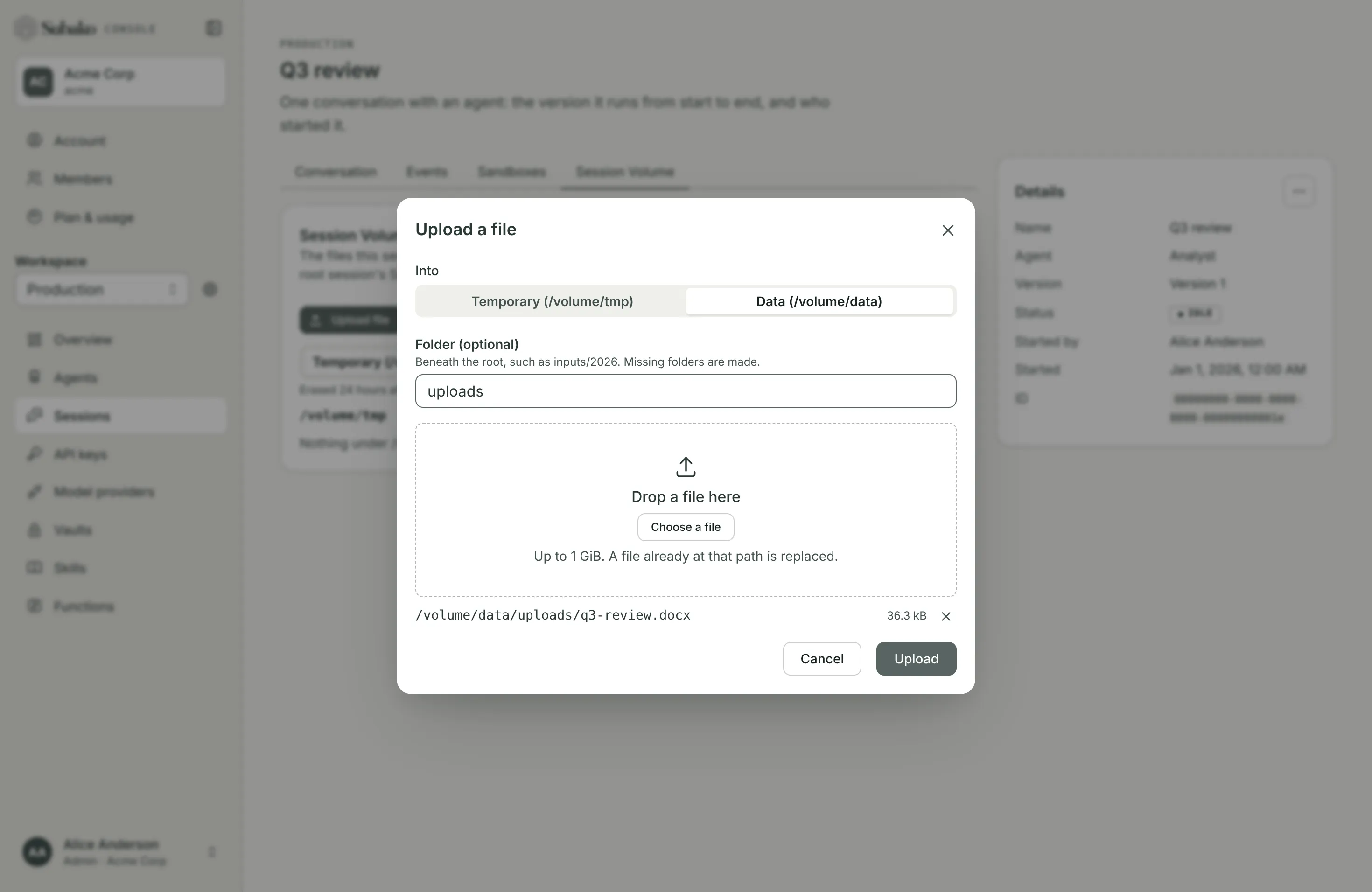
The volume is where the agent’s functions read and write: the file is now at /volume/data/uploads/q3-review.docx.
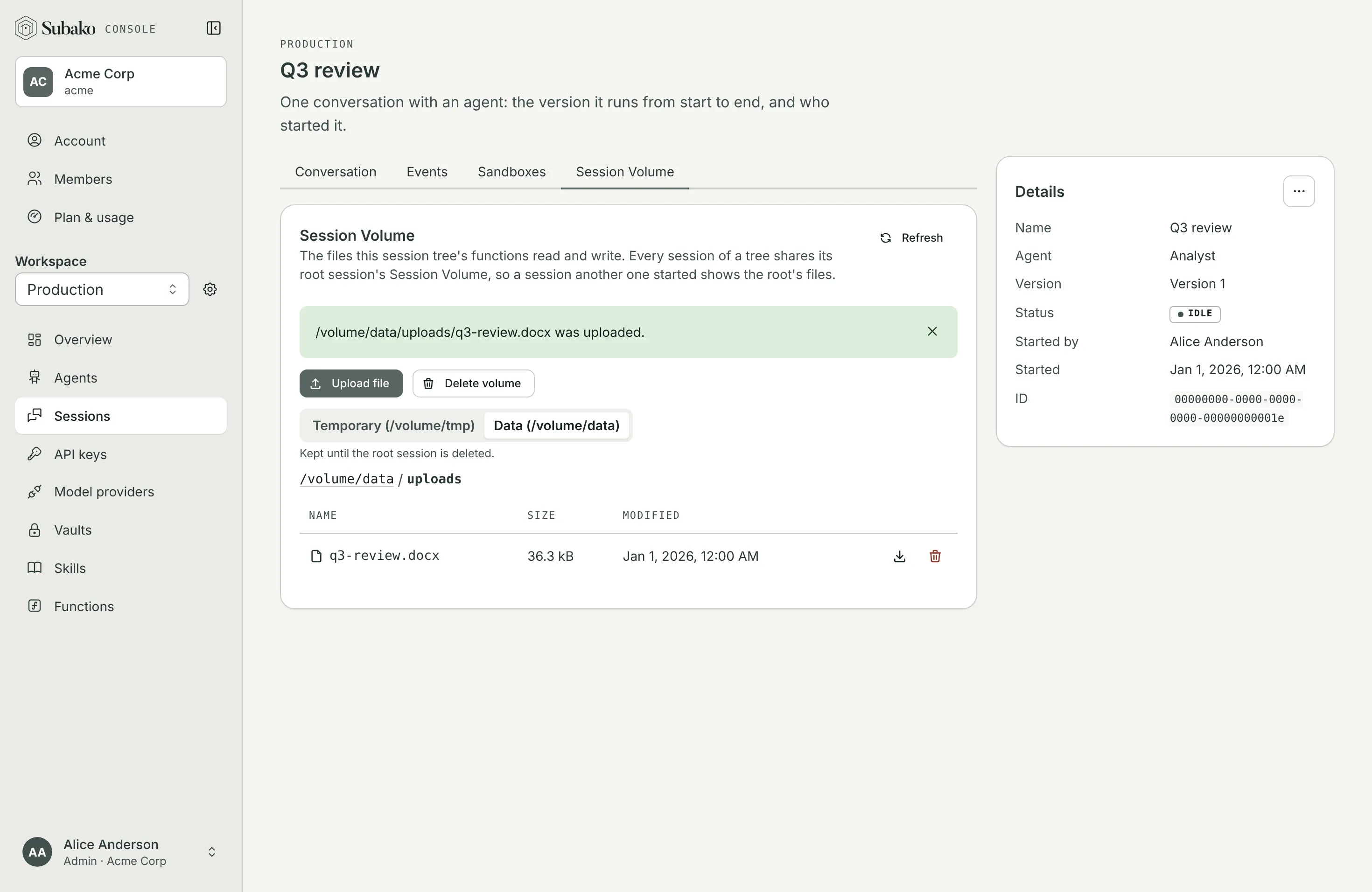
Your own app can put files there too, with PUT /v1/sessions/{session_id}/volume/data/{path} — see Sessions over the API.
Ask about it
Back on Conversation, ask something only the document can answer. The agent calls convert_to_markdown on the file, reads the Markdown, and answers from it.
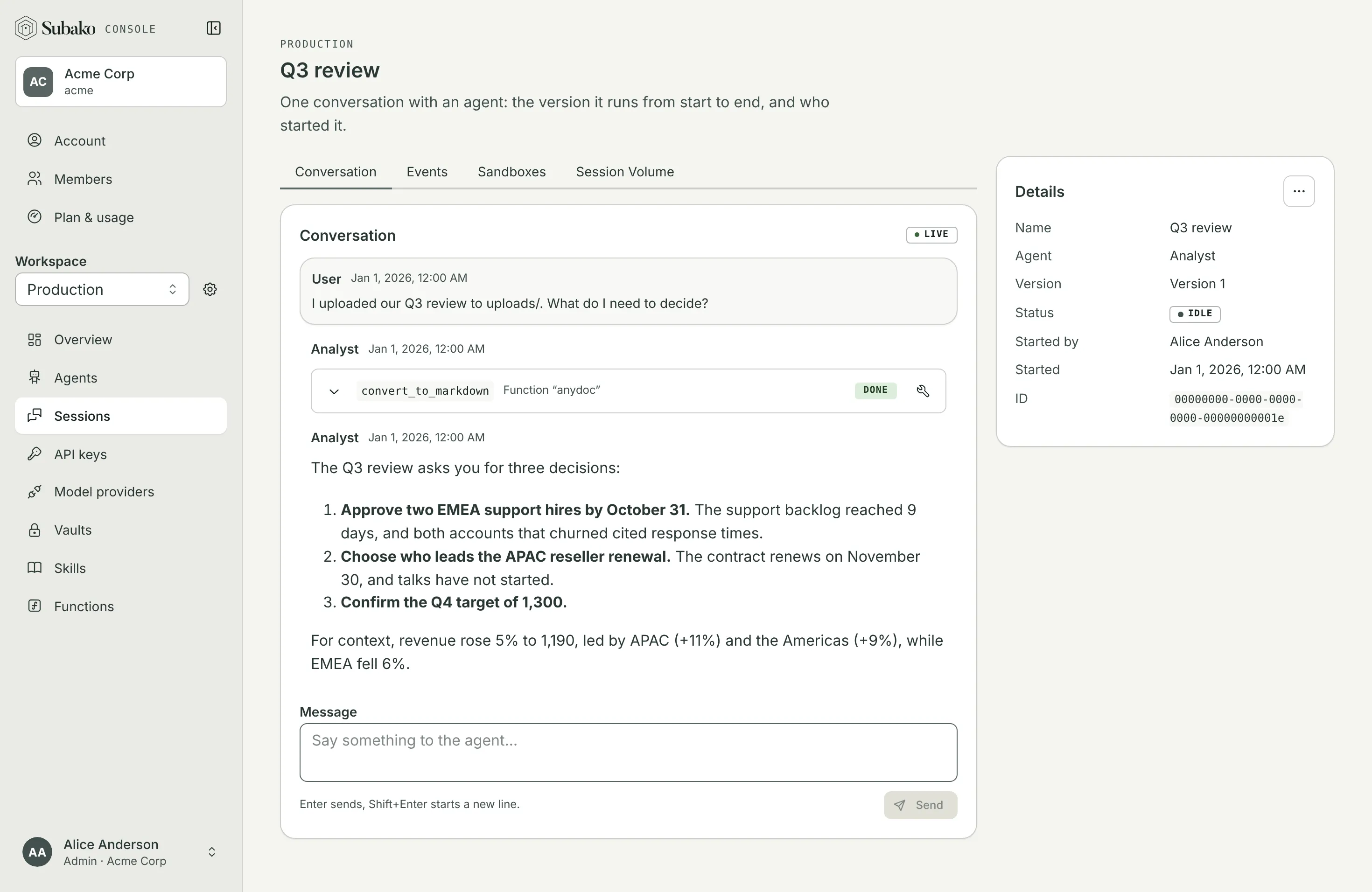
Open the call to see exactly what happened: the arguments the model sent, and the Markdown anydoc answered, table and all.
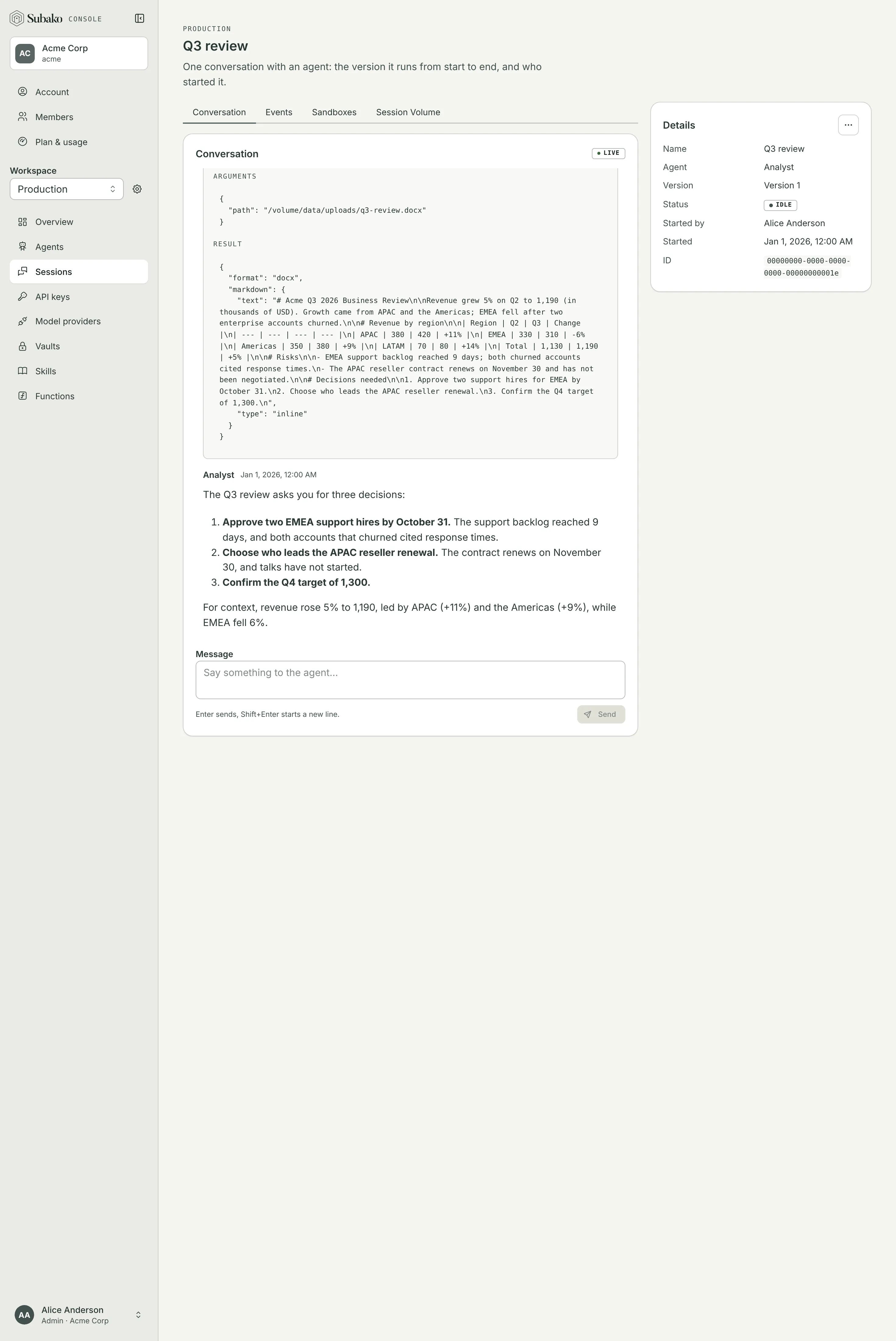
A short document comes back inline, as here. For a long one — a 300-page manual — the model asks for "output": {"type": "file", "path": "/volume/data/uploads/manual.md"} instead: anydoc writes the Markdown to the volume and answers with only its path and size, and the agent reads the parts it needs with the platform files package. Either way, the document’s bytes never pass through the model.
That is the whole loop: a package uploaded once, granted to an agent, and called by every session that needs it — with no server of your own to run.
Next
Write your own
Start a package from the Rust, TypeScript, or Go template.
Granting functions
Network access, credentials, timeouts, versions, and approvals.
The runtime
The volume, assets, HTTP, images, and the limits a call runs under.
Examples
Python, Bash, JavaScript, Typst, PowerPoint, and more, as packages.