Sessions
Talk to an agent, approve its tool calls, and inspect what it did.
A session is one conversation with an agent: the version it runs from start to end, and who started it. Sessions lists every session in the workspace, whoever started it — a member here, or a backend with an API key — and any member of the workspace can open one.
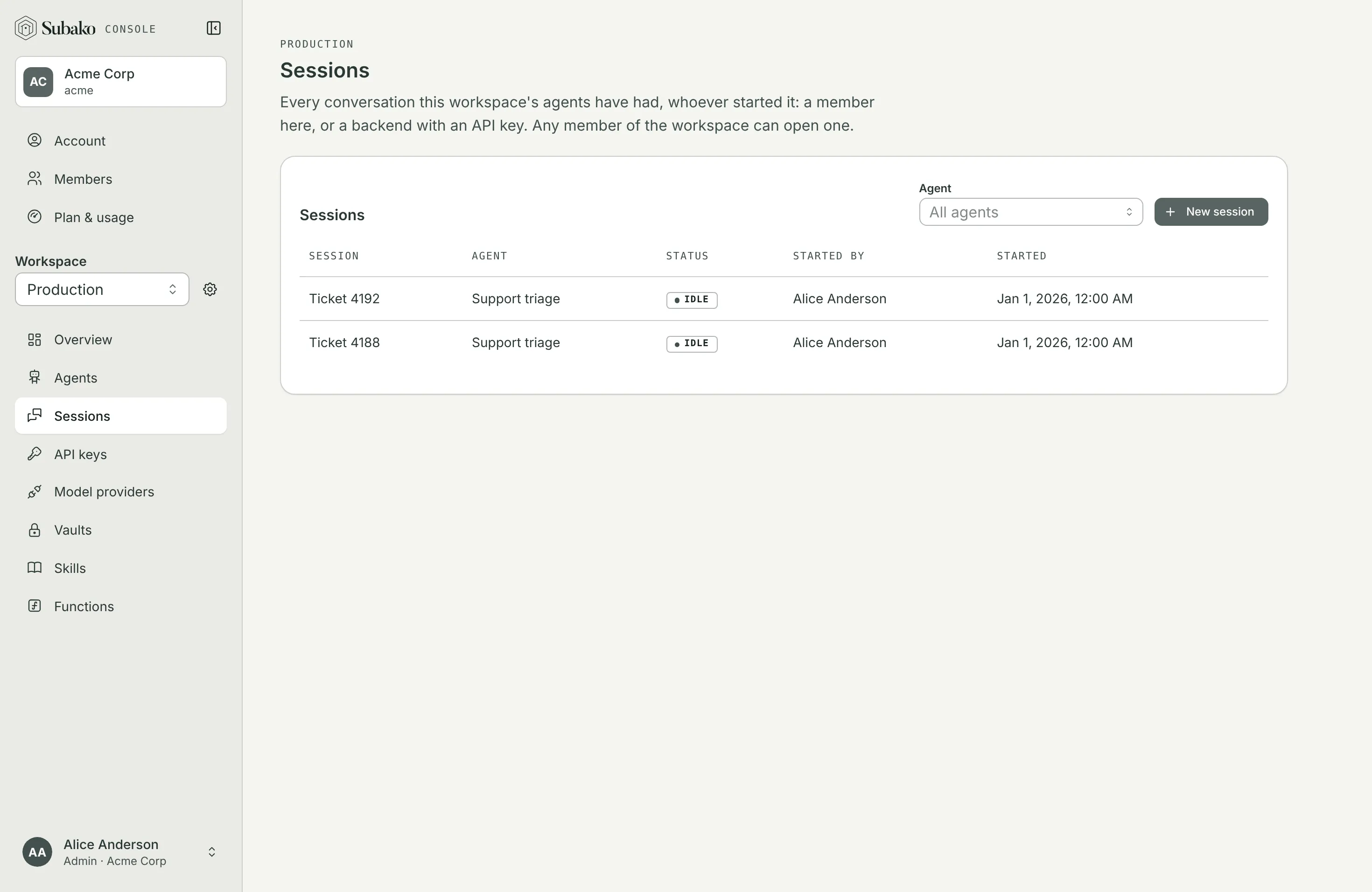
Starting one
New session asks for the agent, and optionally a Label and the Vaults whose credentials the agent’s tools may use, at most ten.
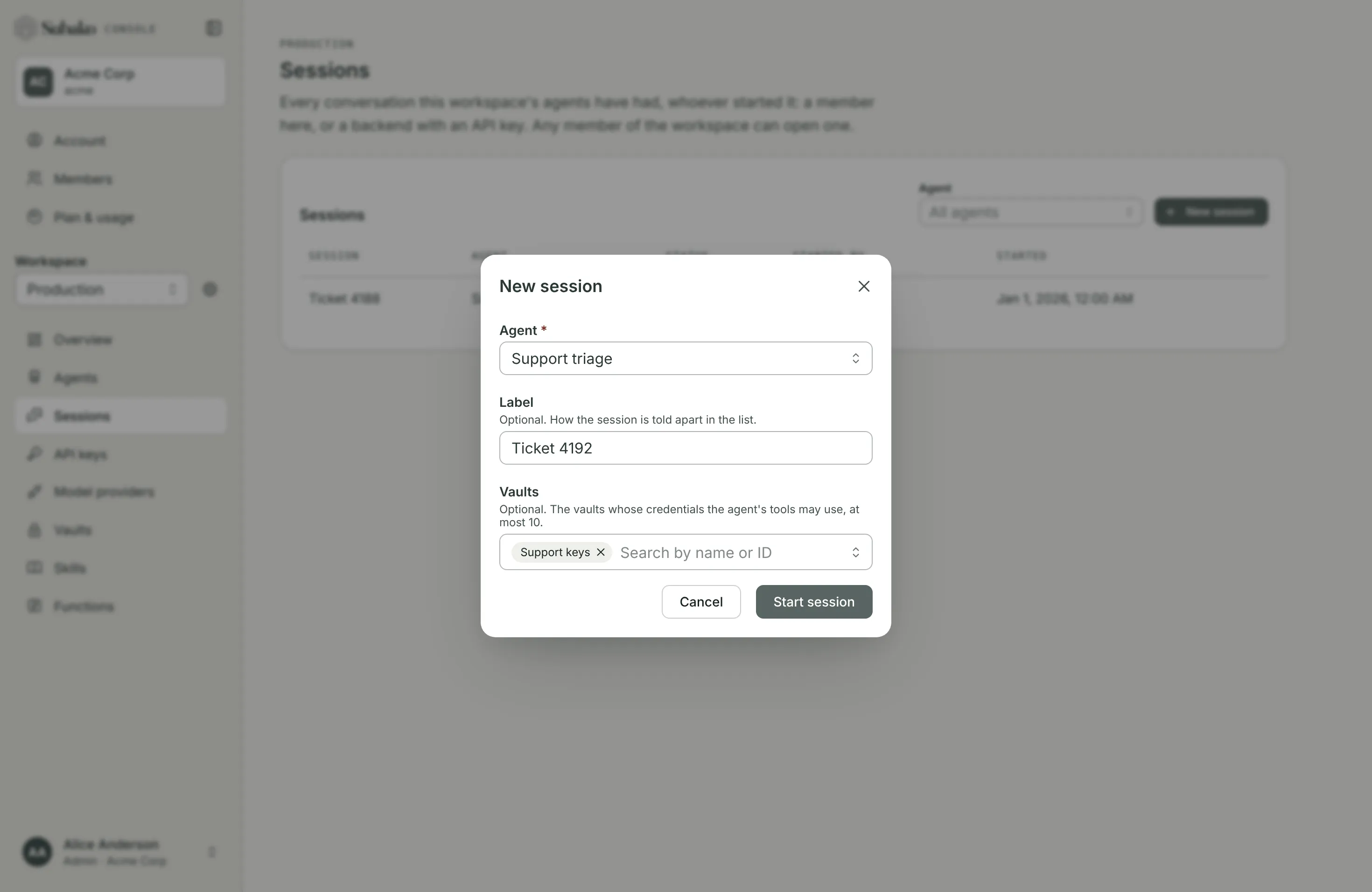
Vaults are chosen per session, not per agent version: one published version can run against one customer’s credentials in one session and another’s in the next. See Vaults.
The conversation
The Conversation tab follows the session live. Type in Message and press Enter — Shift+Enter starts a new line — and the reply streams in as the agent writes it.
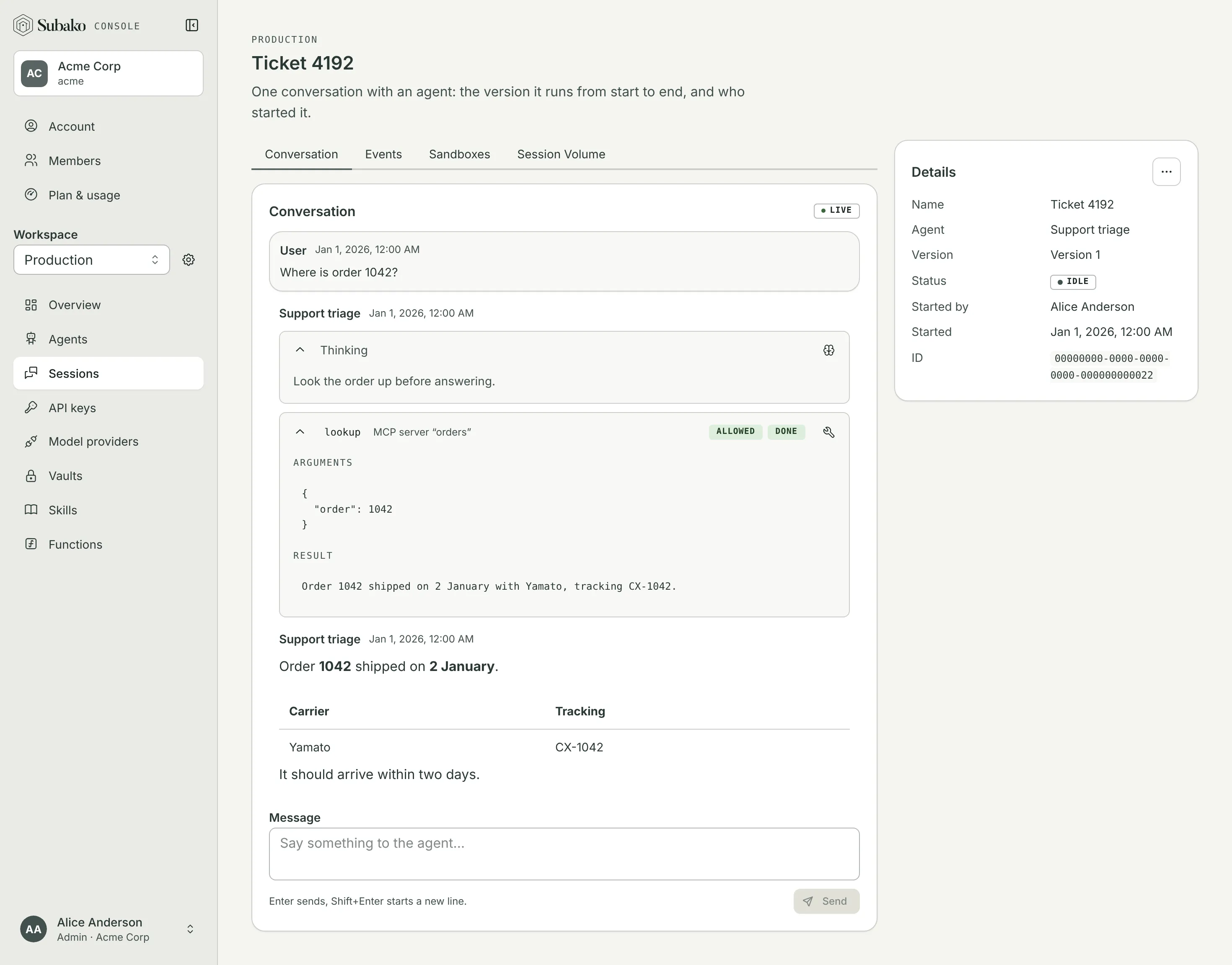
- Thinking opens what the model thought before acting, where its provider reports it.
- Each tool call names its tool and where it comes from — an MCP server, a skill, a sandbox, a function, your app, or Subako itself — and whether it is done or failed. Open one to read its Arguments and Result, and any images the model was shown.
- The reply is rendered as Markdown: headings, lists, tables, links.
While the agent is working, what you send steers the run under way rather than waiting for it to end, and Stop cancels it. A session with no run in flight is idle, not finished: say something and a new run starts on the same conversation.
Approving a tool call
A tool whose policy is Ask first waits for a person. Its call shows Awaiting approval, with Allow and Deny…:
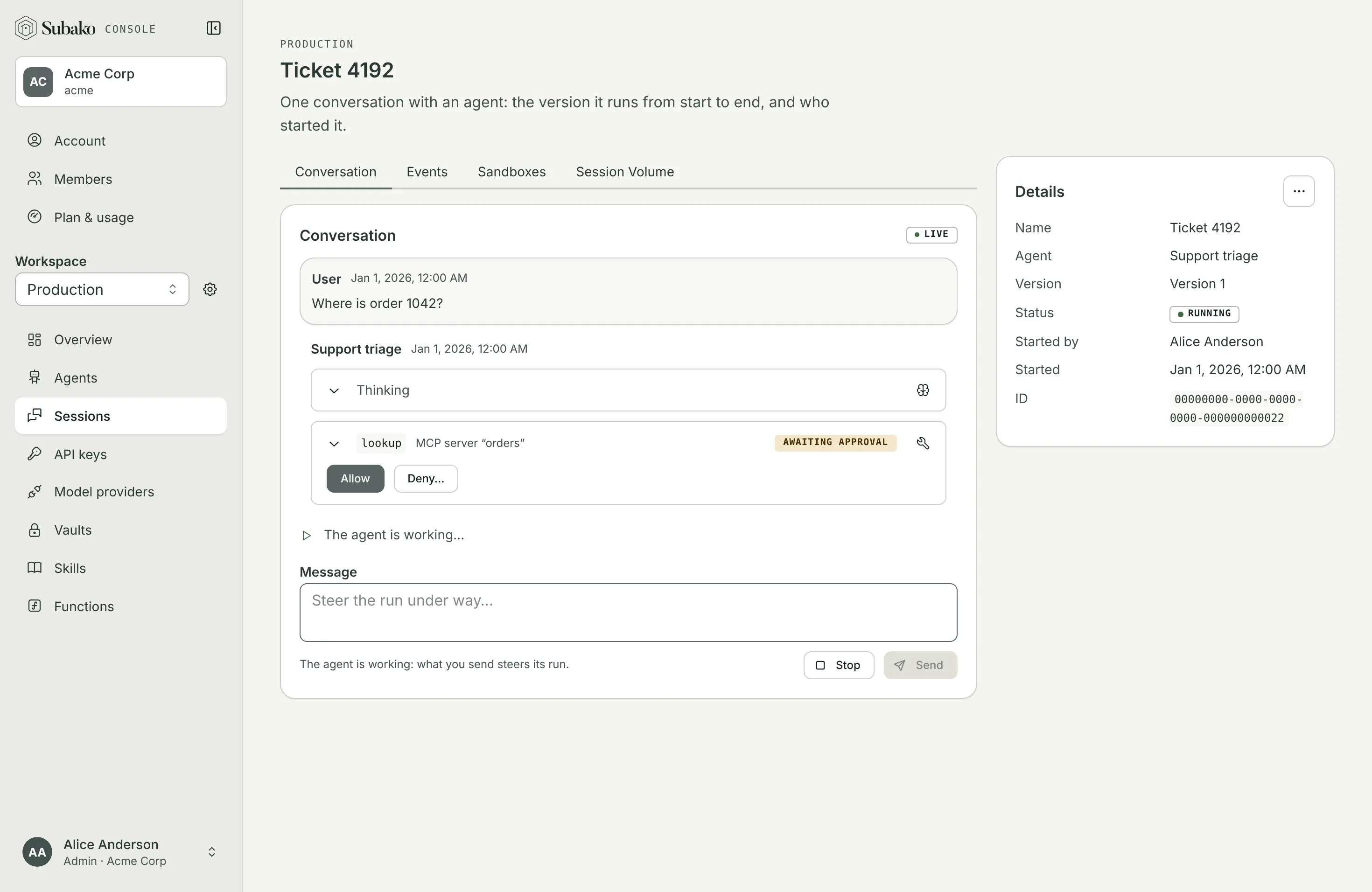
Allow runs the call and the agent carries on with its result. Deny… asks for an optional Reason: the model reads it, so say what it should do instead. A denied call is not a failure — the agent is told, and continues without it.
Answering a form
An agent that may ask people puts a form above the composer when it needs a decision:
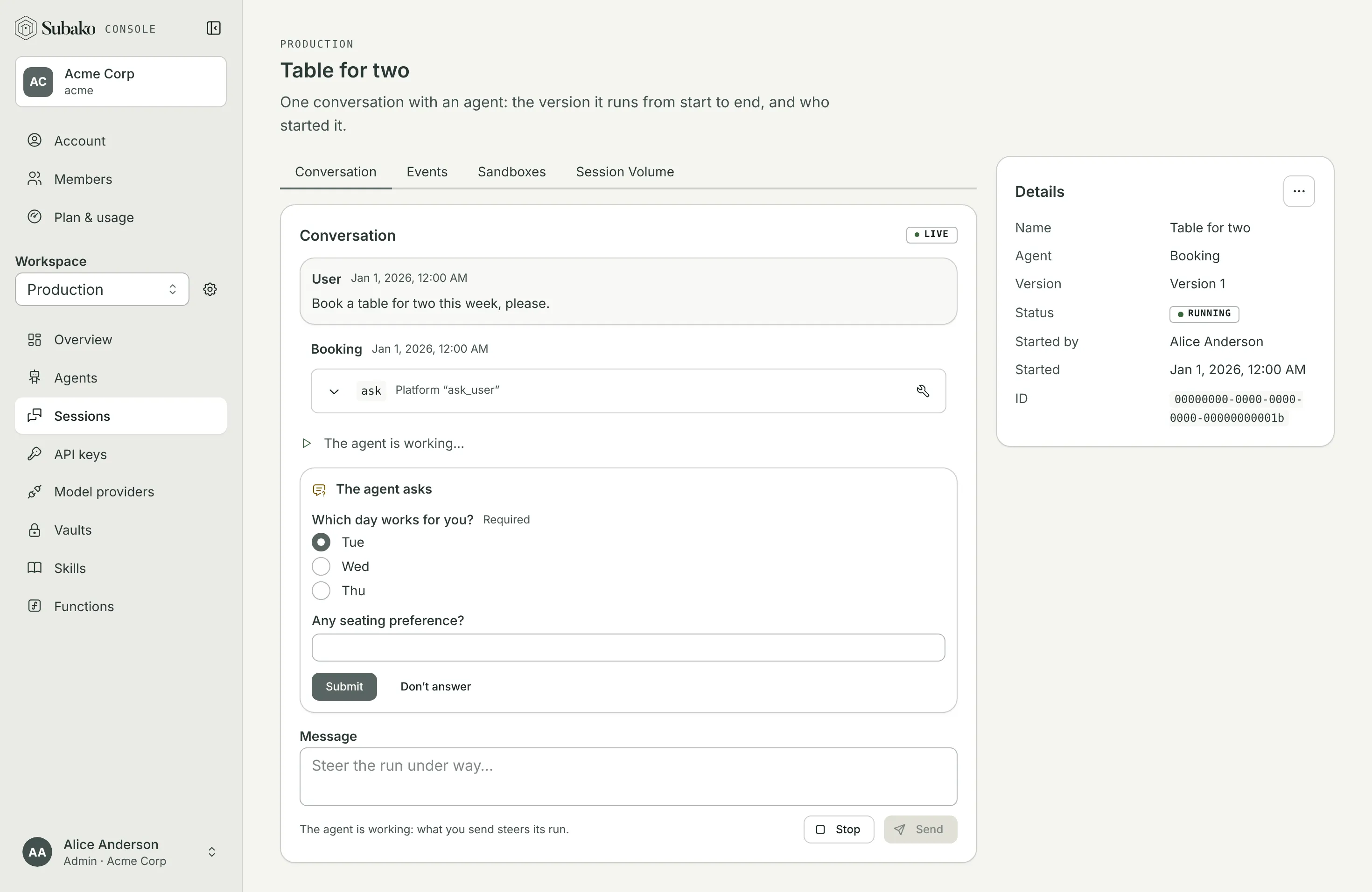
Submit sends the answers back to the agent; Don’t answer tells it you would rather not. A custom widget only your own app draws is shown as unsupported here, and submitting tells the agent so it can ask another way.
Events
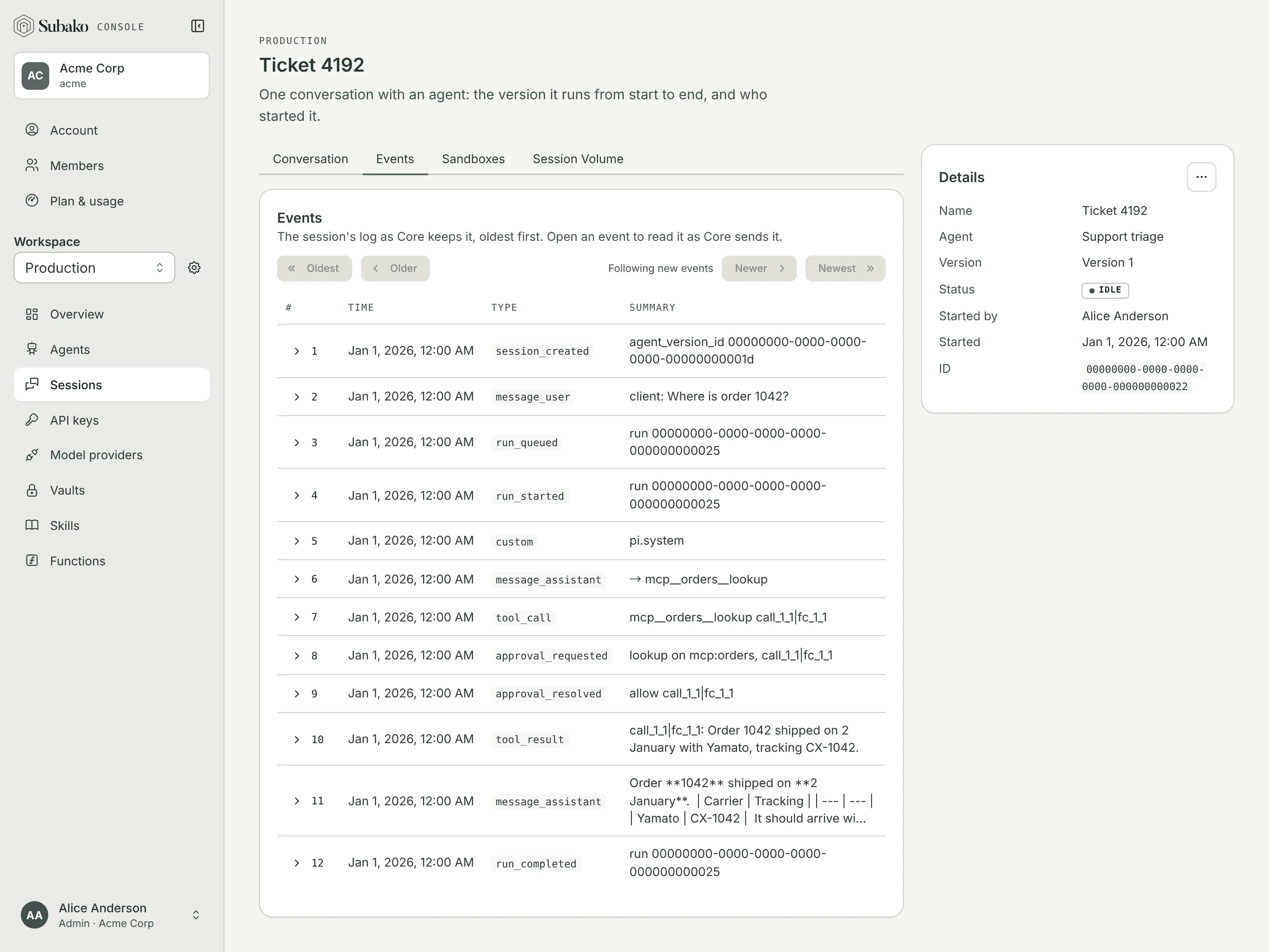
The Events tab is the session’s log as Subako keeps it, oldest first: every message, tool call, result, approval, and run, each with its sequence number. Open an event to read it exactly as the API sends it — the fastest way to see what your own client will receive.
Session Volume
An agent granted functions has a Session Volume: the files its functions read and write. The Session Volume tab browses both of its areas, Temporary (/volume/tmp) and Data (/volume/data).
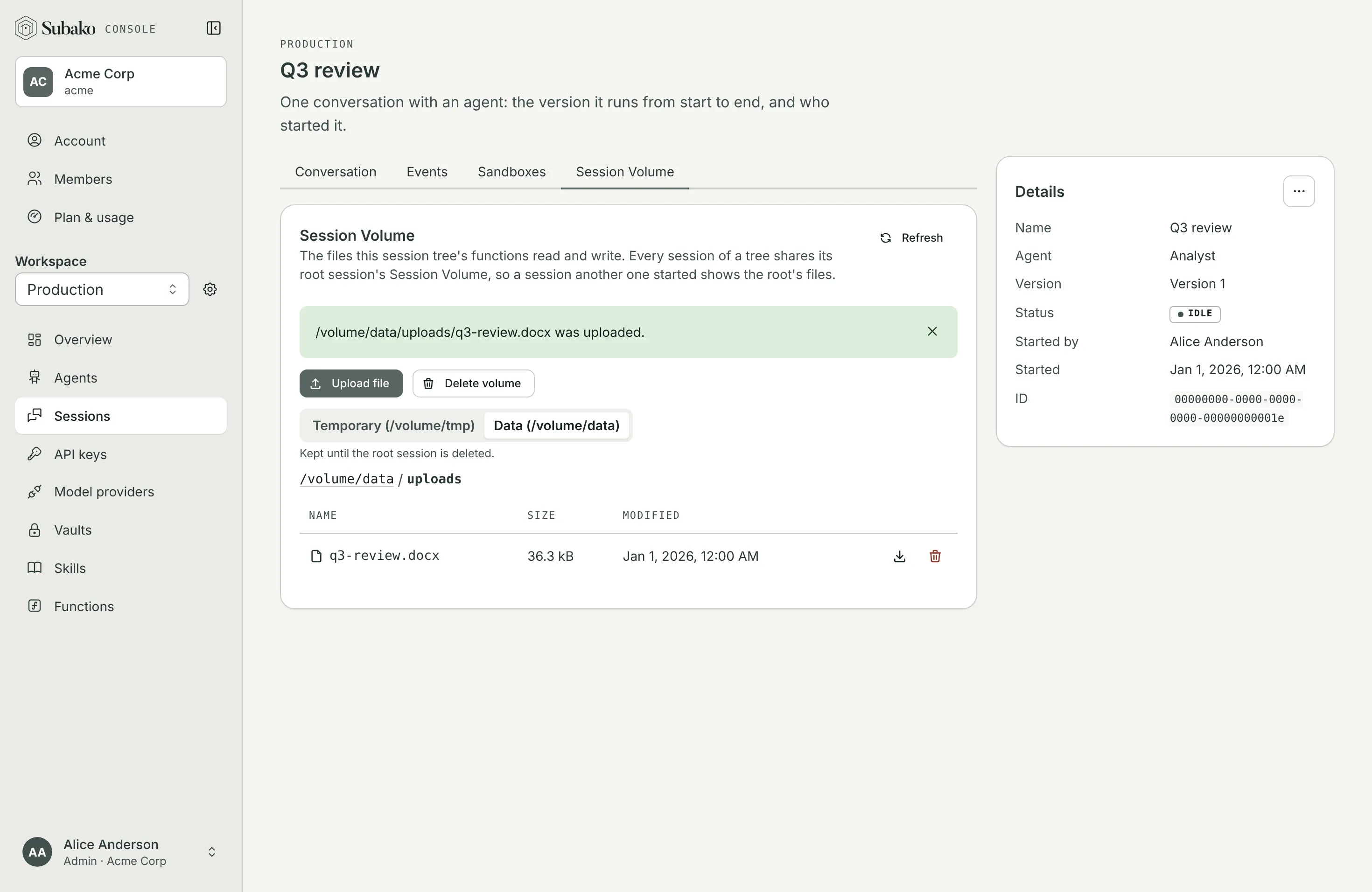
You can Upload file for the agent to work on, download what it made, delete files, or Delete volume to empty both areas.
Sandboxes
The Sandboxes tab lists each sandbox the session’s agent was granted: its environment, whether it is running, suspended, or retired, and the archive of its files. An archive is kept, and billed for its storage, until you delete it, which Subako allows once the sandbox is retired.
Deleting a session
Session actions copies the session’s ID or deletes the session, with its log and its volume. Usage already recorded stays.