Introduction
What Subako is, and what it is made of.
A model on its own answers a question and stops. Everything that turns that answer into work — keeping a run alive past a single HTTP request, holding the conversation so a dropped connection can pick it back up, running code the model wrote, reaching a real system with a real credential — is runtime. It is also the part every team ends up building for itself, once per product.
Subako is that runtime, run as a service. You set up an agent in the console: the model it runs on, what it is told, and the tools it may reach. Your product then starts sessions of it, streams their events, and answers the calls only it can answer. Subako holds everything else.
The pieces
An agent is what you build: a model, what it is told, and what it may use. A session is one conversation with it. Everything else is what makes the agent useful — and each is a service Subako runs, so none of it is yours to operate.
Agents
A model, a system prompt, and the tools it may reach — published as immutable versions a session runs from start to end.
Sessions
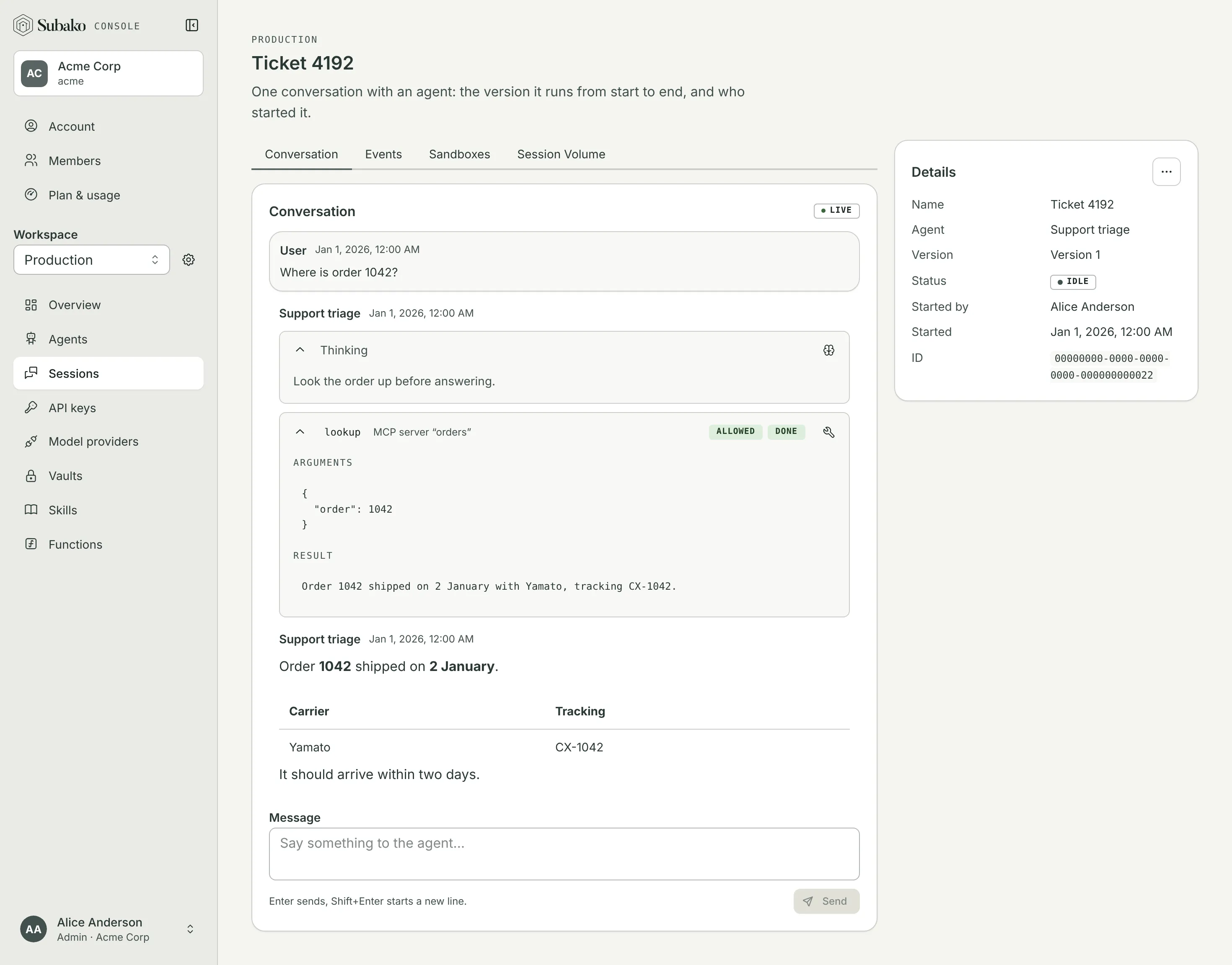
One conversation with an agent, kept as an event log you can follow live and resume after a disconnect.
Subako Functions
Tools you write in Rust, TypeScript, Go, or any language that builds to WebAssembly, run by Subako beside the session, working on its files.
Sandboxes
A Linux machine of the session’s own, for the programs that only run on Linux.
Vaults
The credentials the agent’s tools use. Subako attaches them to the call; the model never sees them.
Skills
Instructions and files the agent reads when it needs them, versioned in a workspace.
The model runs on Subako’s own models, paid for from credit, or on your own Anthropic or OpenAI account — see Model providers.
How a session runs
A session starts
A member starts one from the console, or your backend creates one with an API key. It runs the agent’s latest version and keeps it: a version published later changes only the sessions started after it.
Someone says something
The message is appended to the session’s log, and that starts a run: one turn of the agent’s work, which lasts as long as the work does, not as long as an HTTP request does.
The run produces events
What the agent thought, the tools it called and what they answered, the approvals it waited on, its reply — every one is appended to the log with a sequence number, then streamed. Nothing about a run lives only in a connection.
Tools run where they belong
MCP servers are called with the credential the session’s vaults hold. Functions run on Subako. A tool only your app can run is answered by your app. A tool you marked “Ask first” waits for a person.
The run ends — or you reconnect
A run ends completed, failed, or stopped. If your connection dropped in the middle, you reconnect with the last sequence number you saw and the log replays from there.
Where to start
The console is where an agent is built, and where you can talk to it before any code exists. Everything it does reaches the same API your product calls, and the CLI does the same from a terminal, for scripts and CI.
Quickstart
Sign up, publish an agent, and talk to it in the console — then call it from your own code.
Subako Functions
Give the agent tools of your own, in the language you already use.
Build into your product
Create sessions from your backend and hand the conversation to a browser.
API reference
Every endpoint, with a playground that calls the live server.