Workspaces
Create workspaces and add members to them.
A workspace is where work lives. Agents and their sessions, model providers, vaults, skills, function packages, and API keys all belong to exactly one workspace, and nothing crosses between them. Most teams run one per environment — staging and production — or one per product.
Creating one
Open Manage workspaces: the gear beside the sidebar’s Workspace selector. Type a Name and Create workspace.
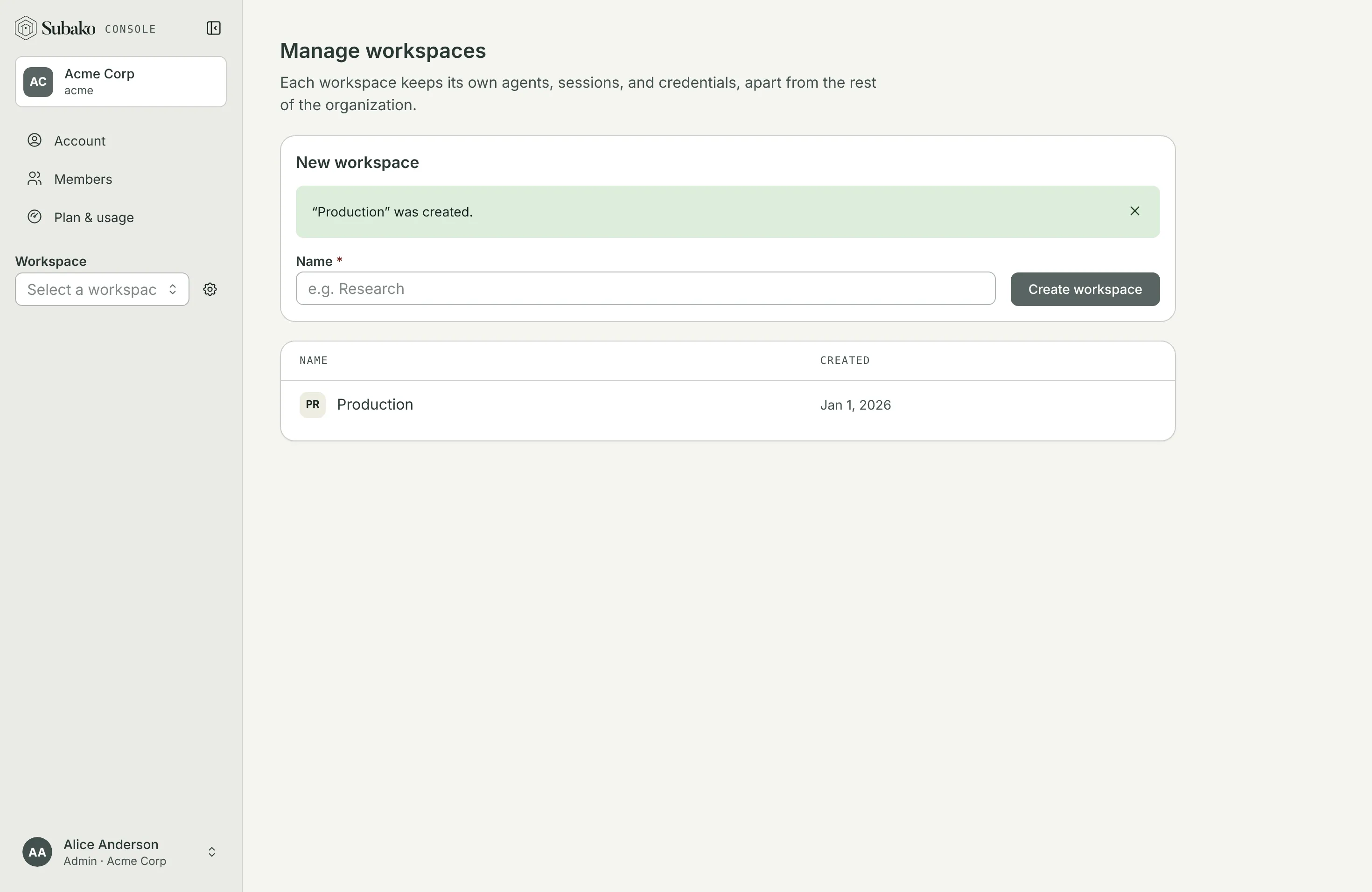
Your plan decides how many workspaces the organization may hold; the Free plan holds one. Pick a workspace in the sidebar’s selector — it searches by any part of the name or ID — and its pages appear below.
The overview
A workspace’s Overview shows when it was created, its ID, and its members.
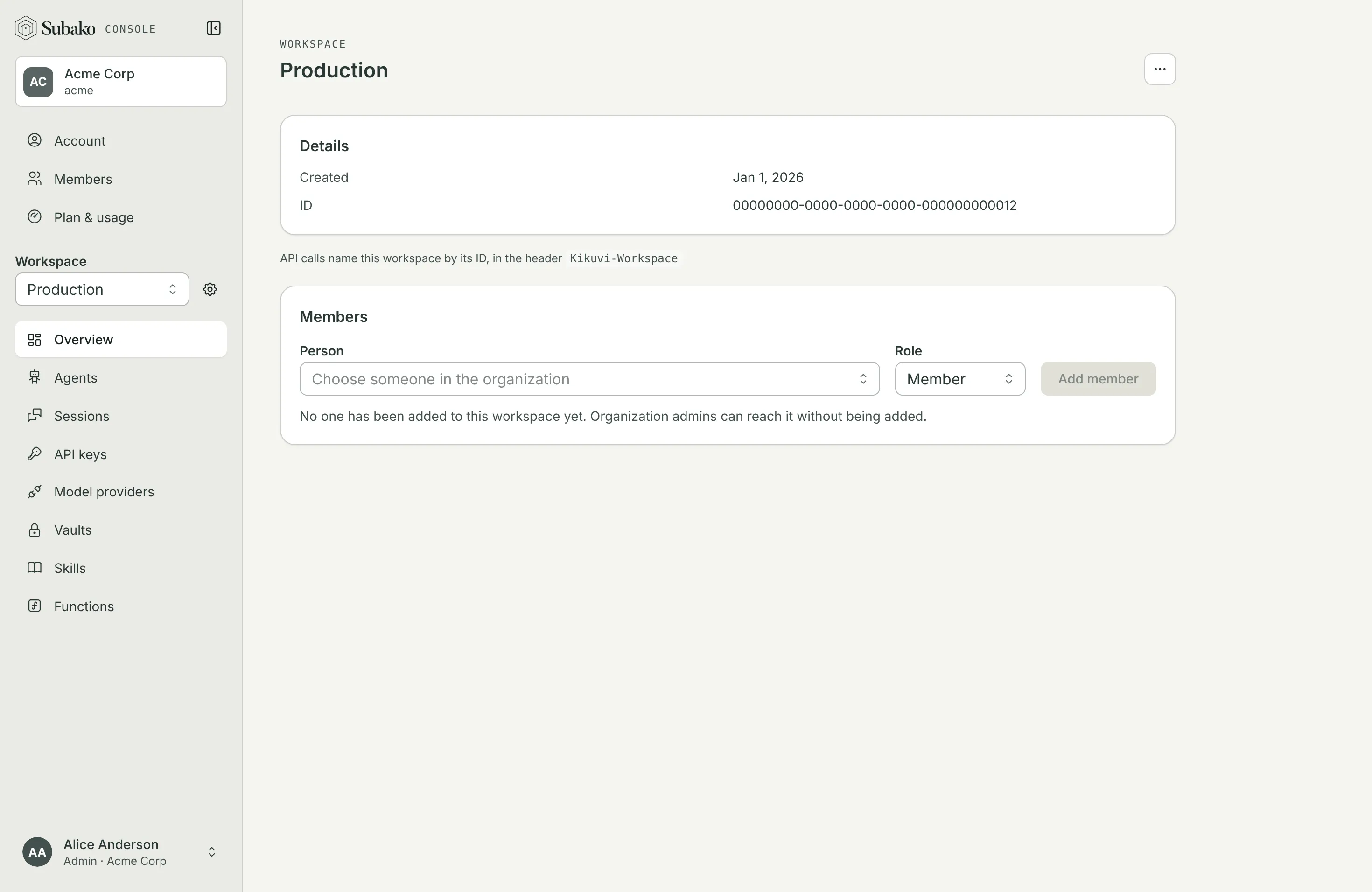
The ID is how the API names the workspace. A call made as a person — from the console, or with a user token — names it in the Kikuvi-Workspace header. An API key belongs to one workspace already, so its calls need no header.
Workspace actions renames the workspace, or deletes it with everything in it: its agents and their versions, its sessions, its vaults and their credentials, its skills, function packages, model providers, and API keys. Deleting asks you to type the workspace’s name. Usage already recorded stays.
Members
Organization admins reach every workspace without being added. Anyone else reaches a workspace once they are added to it, with a role of its own:
| Role | In this workspace |
|---|---|
| Admin | Changes who is in the workspace and in which role, renames and deletes it, and everything a member can do |
| Member | Builds and runs everything in it: agents, sessions, providers, vaults, skills, functions, and API keys |
Only an organization admin can add someone, and only someone already in the organization. Removing a person from a workspace leaves them in the organization.