API keys
Mint and revoke keys for your backend.
An API key is the credential your product runs under: a backend, a job, or CI acting in one workspace with exactly the permissions it was minted with. Anyone in the workspace can mint and revoke its keys.
Minting a key
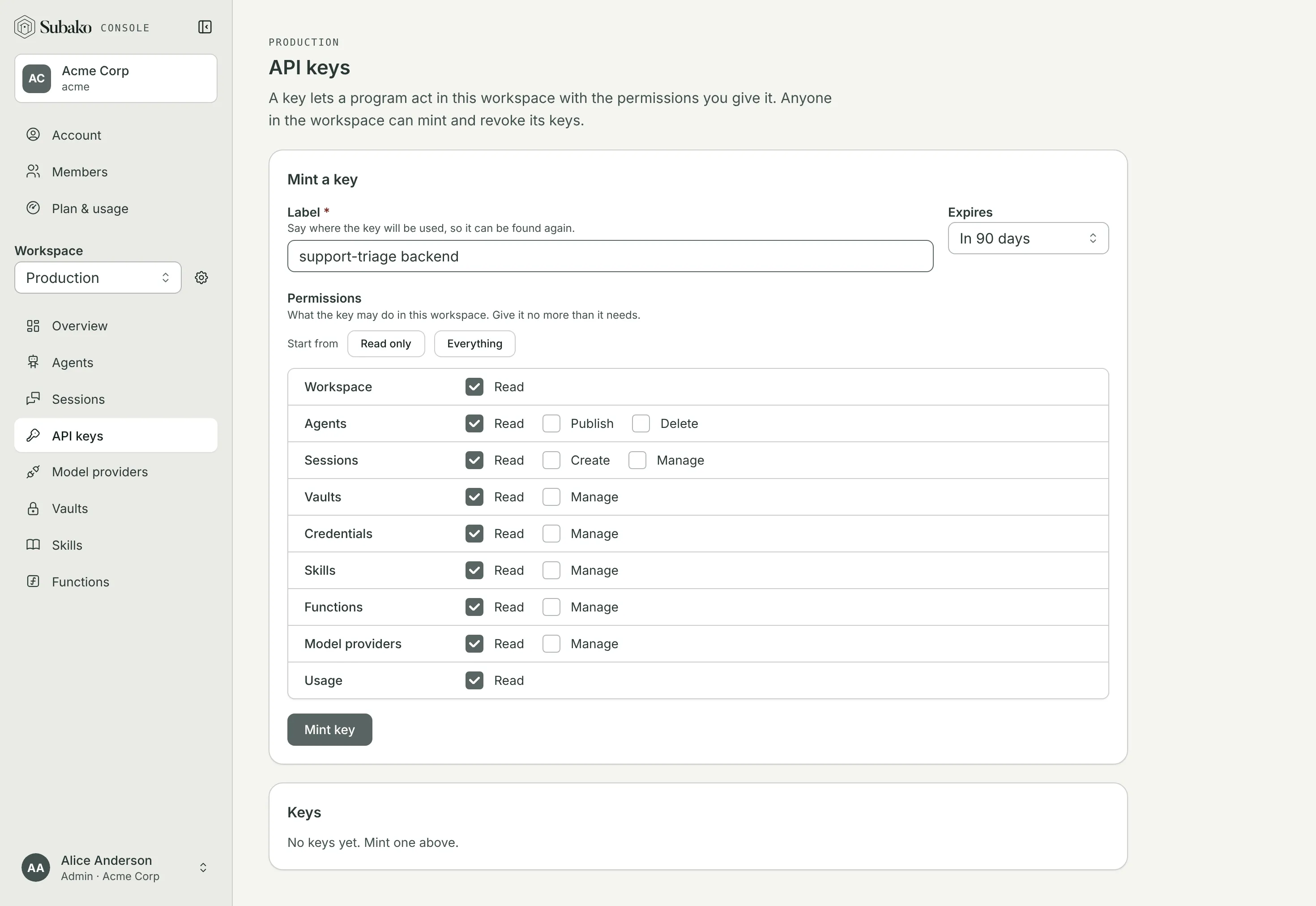
Mint a key asks for:
- Label — where the key will be used, so it can be found again.
- Expires — never, or in 30 days, 90 days, or a year.
- Permissions — what the key may do. Start from Read only or Everything, then tick the rest. Give it no more than it needs.
Mint key shows the secret once. Copy it now and keep it somewhere safe: Subako cannot show it again.
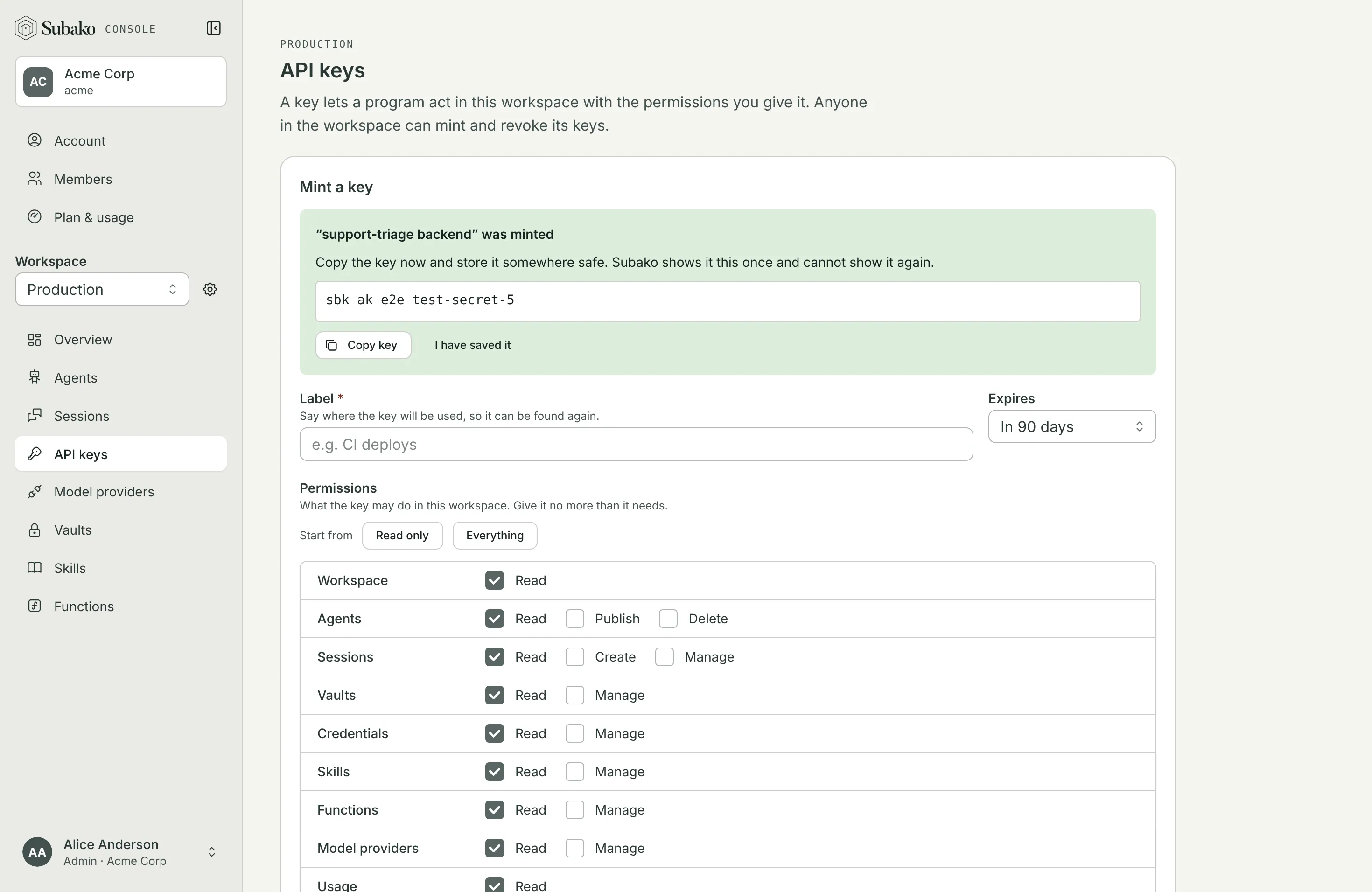
A backend that creates sessions for your users needs Sessions › Create, plus Read and Manage to follow and steer them. A CI job that publishes agents needs Agents › Publish, and whatever it uploads: Skills or Functions › Manage. Every permission is listed in Permissions.
Using it
Send the key as a bearer token. It belongs to its workspace, so a call made with it needs no workspace header.
curl https://api.us.cloud.subako.ai/v1/sessions \
  -H "Authorization: Bearer $SUBAKO_API_KEY"
Keep the key on your server. A browser gets a session token instead: good for one session, and nothing else.
Revoking it
The Keys list shows each key’s creator, when it was last used, and when it expires. A key’s menu opens its Details — the permissions it holds — or Revokes it: anything using it stops working at once.