Subako Functions
Your own tools, run by Subako as WebAssembly.
An agent is only as useful as what it can reach. MCP servers reach systems that already exist; Subako Functions are for the tools that do not exist yet — parse this file, build that spreadsheet, call your billing API the way your team calls it, check an order against your own rules.
A function package is a WebAssembly module and a short manifest. You upload it to a workspace, grant it to an agent version, and from then on every tool the module offers is a tool the agent can call. Subako runs each call in a sandbox of its own, next to the session, with the session’s files at hand and only the network access you granted.
Why a function
- No server to run. There is nothing to deploy, scale, or keep up: Subako starts the module for a call and stops it after.
- Your language. The Rust, TypeScript, and Go SDKs turn ordinary functions into tools, with their input schemas generated from your types. Any other language that builds for WASI preview 1 can speak the ABI directly.
- Isolated by default. A call has no network unless its grant gives it one, and then only to public
httpshosts it allows. Credentials are attached on the way out from the session’s vaults; the module never sees them. - Data stays out of the context. Functions work on files in the session’s Session Volume, so a large document or export never has to pass through the model. See below.
- Ships its own files. A package carries assets — templates, fonts, reference data — that every call reads at
/package. - Versioned with the agent. Every upload is a new immutable version, and an agent version pins one or follows the latest. Publishing a fix never changes a session already running.
Working on data without filling the context
Everything a tool returns is put in front of the model, and the model’s context is both limited and paid for by the token. An agent that loads a 200-page contract, a year of order exports, or a whole repository into its context runs out of room — or spends most of its budget re-reading data it only needed to look at once.
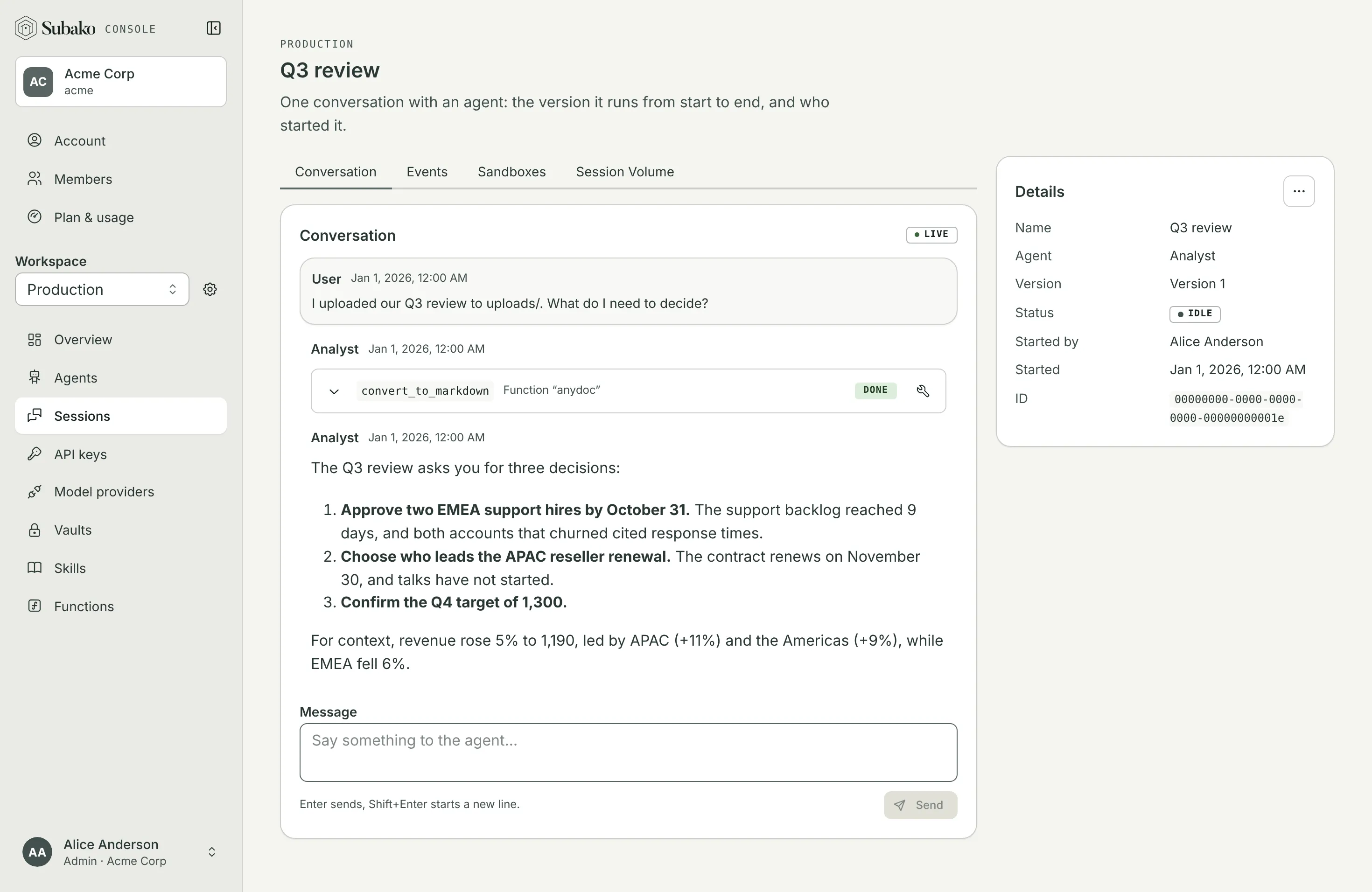
Functions avoid that by working on files instead. Every session that uses functions has a Session Volume: a filesystem the session’s functions share, which your app and the people in the console can read and write too. A function reads its input from the volume and writes its output back, and the model sees only what it needs to decide the next step: a path, a count, a summary, the three rows that matter.
- anydoc converts a long PDF to a Markdown file on the volume; the agent then searches that file with
filesand reads only the matching sections. - A function downloads a 50 MB export straight to
/volume/tmp, aggregates it, and answers with the totals — the export itself never enters the conversation. - One function’s output file is the next one’s input, so a chain of steps — fetch, convert, analyze, render — moves data from tool to tool without the model carrying it in between.
The files stay after the call, so a person can download the result from the session’s Session Volume tab, and your app can read it over the API.
Functions or a sandbox?
A sandbox gives the agent a whole Linux machine and runs whatever commands it writes. A function runs code you wrote, in a fresh sandbox per call, with no network unless you grant it and its credentials kept in a vault. Functions are safer, cheaper — billed only while a call runs — and their results land on the Session Volume, where every other tool can use them. Reach for a sandbox only when the work needs a real Linux userland, such as building and testing a codebase; Sandboxes compares the two, and lists the functions that already cover Python, shell scripts, JavaScript, and documents.
How it fits together
Build a package
Write tools with an SDK and build them into module.wasm, beside a
subako-package.json naming the package — or build one of the
examples. Write your own
starts from a template in each language.
Upload it to a workspace
From the console’s Functions page, or with subako function create.
Subako runs the module once to read the tools it offers, and shows them
with their parameters.
Grant it to an agent
In the agent version editor, under Function packages: which version, how long a call may run, which hosts it may reach, which credentials it gets, and whether a call asks first. See Granting functions.
The agent calls it
The model sees each tool’s name, description, and input schema, and calls it like any other tool. The session’s conversation shows the call, its arguments, and what it answered.
Platform packages
Two packages come with Subako and need no upload:
| Package | What it does |
|---|---|
files |
Lists, reads, searches, writes, moves, and removes files in the Session Volume, and shows the model images it reads. |
http |
Sends HTTP requests, with bodies to and from volume files, under the grant’s network and credentials. |
They are granted the same way as your own packages — see Platform packages.
Start here
Quickstart
Teach an agent to read Word and PDF files with the anydoc package.
Examples
Python, Bash, JavaScript, Typst, Excel, PowerPoint, and more, as packages.
Calling APIs
API clients whose keys stay in a vault, with GitHub as the example.
Granting functions
Versions, timeouts, network, credentials, and approvals.
ABI reference
Write a package in C, Zig, AssemblyScript, or anything else.