Sandboxes
A Linux machine for the session, for programs that only run on Linux.
A sandbox is a Linux machine of the session’s own. The agent gets one tool, exec, which runs a shell command there — so it can clone a repository, install packages, build, and run a test suite, the way a developer would in a terminal.
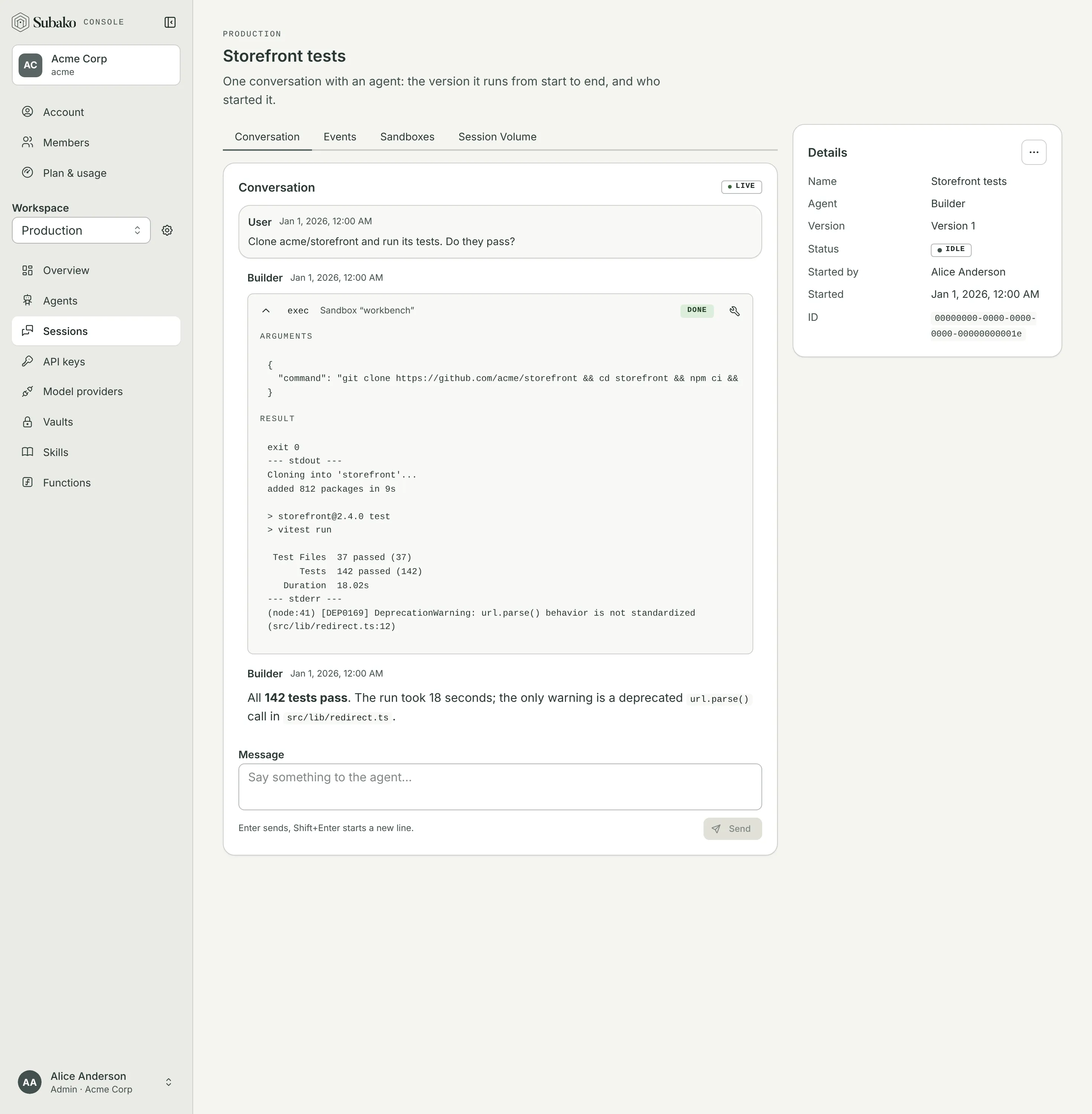
Start with a function
A sandbox is the most general tool Subako has, and that is also its cost. Most of what an agent needs done is better done by a function:
| Function | Sandbox | |
|---|---|---|
| What runs | Code you wrote and reviewed, behind an input schema | Whatever commands the model writes |
| Isolation | A fresh sandbox for every call, gone when it answers | One machine for the session, kept between commands |
| Network | None unless granted, and then only to the hosts you list | The internet, unless switched off |
| Credentials | Kept in a vault and added to requests on the way out; the code and the model never see them | Only what is in the machine — a token must be written into a command or a file, where the model can read it |
| Price on Subako Cloud | 0.01 SC per second a call runs ($0.36 an hour) | 0.02777778 SC per second the machine runs ($1.00 an hour), idle minutes before it is suspended included, plus its archive’s storage |
| Start | Within a call | Boots, or restores from its archive, on first use |
| Files | The Session Volume, shared with every function, your app, and the console | /workspace, archived when the sandbox is suspended |
Before granting a sandbox, check whether the work is one of these — each is a function package in subako-function-examples, with none of a sandbox’s exposure:
| To | Use the function |
|---|---|
| Run Python the model wrote | python — CPython, with pure-Python packages |
| Run a shell script over files | bashkit — bash with about 145 built-in commands |
| Run JavaScript | quickjs |
| Read Word, Excel, PowerPoint, or PDF files | anydoc |
| Make a PDF or a PowerPoint deck | typst, pptx |
| Check how HTML renders | html |
| Read GitHub | github |
| Call your own API | A package of your own |
When a sandbox is the right tool
Reach for a sandbox when the work needs a real Linux userland that no function provides:
- Building or testing a codebase:
git clone,npm ci,pytest, a compiler. - Running a native program or CLI that is not built for WebAssembly.
- Installing packages from npm or PyPI that need native extensions.
- Iterating on code the model writes and runs, where the machine’s state between commands matters.
A sandbox and functions can be granted to the same agent version. A good split is to build and test in the sandbox, and leave every call that needs a credential to a function, so no token ever has to enter the machine.
Granting one
In the agent’s version editor, under Tools › Sandboxes, choose Add sandbox and give it a name.
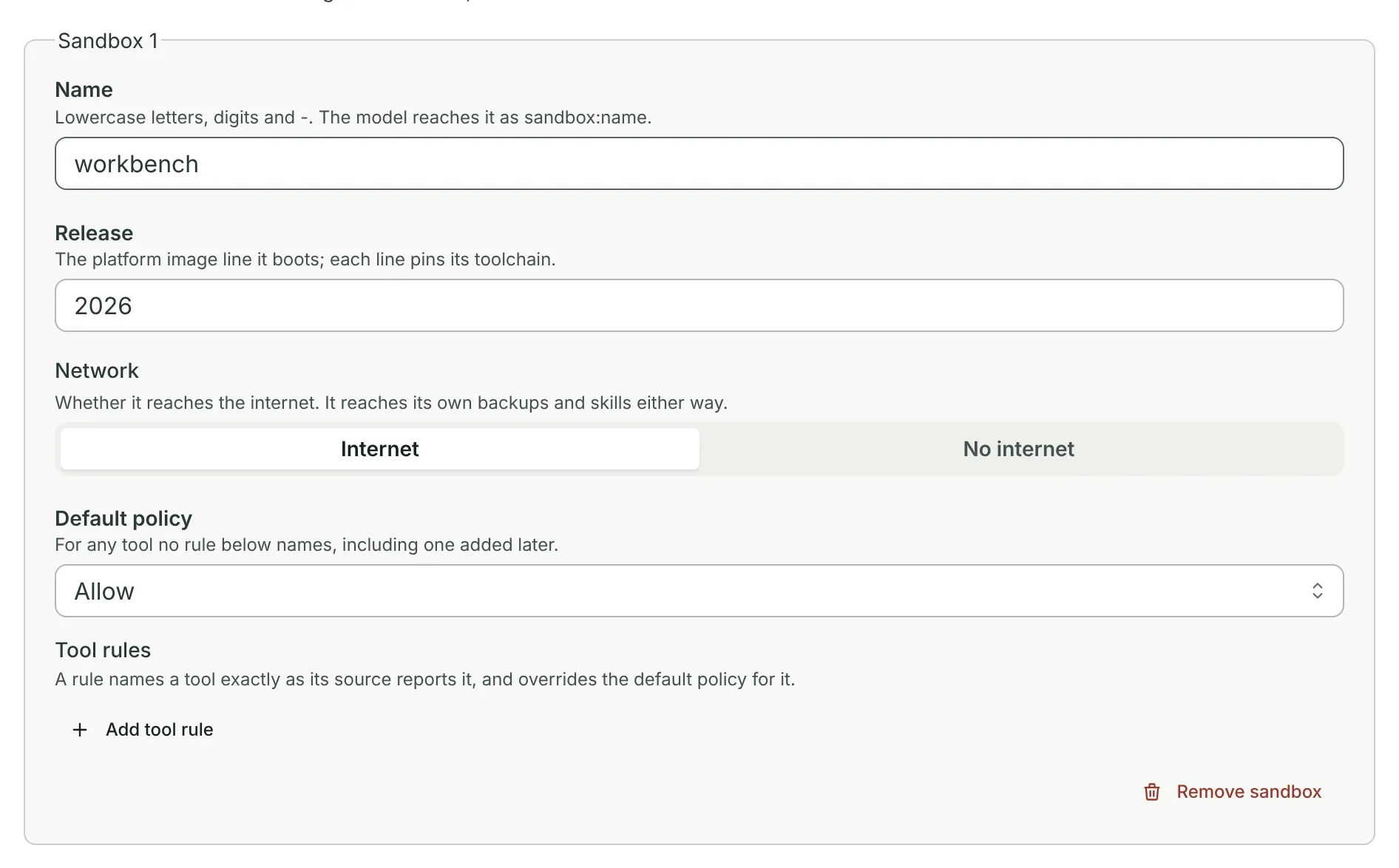
| Setting | |
|---|---|
| Name | What the model calls it by: sandbox__<name>__exec. |
| Release | The platform image line it boots, which pins its toolchain. The 2026 line has Python 3 with uv, Node.js with npm, git, curl, and jq. |
| Network | Internet or No internet. Without internet, it still reaches its own backups and the session’s skills. |
| Default policy, Tool rules | Whether exec runs, asks first, or is refused. Ask first puts a person in front of every command. |
In an agent config:
{
  "sandboxes": [
    {
      "name": "workbench",
      "environment": { "type": "platform", "release": "2026" },
      "network": { "type": "unrestricted" },
      "default_policy": "allow"
    }
  ]
}
The exec tool
exec runs one command through sh -c, so pipes and && work:
| Argument | |
|---|---|
command |
The command, up to 8,192 characters. |
cwd |
Where to run it. /workspace by default. |
env |
Environment variables for the command. |
stdin |
Text to feed the command, up to 1 MiB. |
timeout_secs |
300 by default, up to 3,600. |
The result is the exit code and up to 64 KiB of stdout and stderr each. The session’s skills are unpacked at /skills/<name>, scripts included, so a skill can ship the scripts the agent runs here.
Lifecycle
A sandbox starts on the first exec. Left idle for five minutes it is suspended: its /workspace is archived, and the machine stops. The next command brings it back from the archive. Suspended for five hours, it is retired, and the archive is all that is left — the next command starts a fresh machine from it.
Only /workspace is kept, up to 256 MiB compressed. Anything installed elsewhere, such as global packages, is gone after a suspension, so install into the workspace or again as needed.
The session’s Sandboxes tab shows each sandbox’s state and its archive, which you can download, and delete once the sandbox is retired.
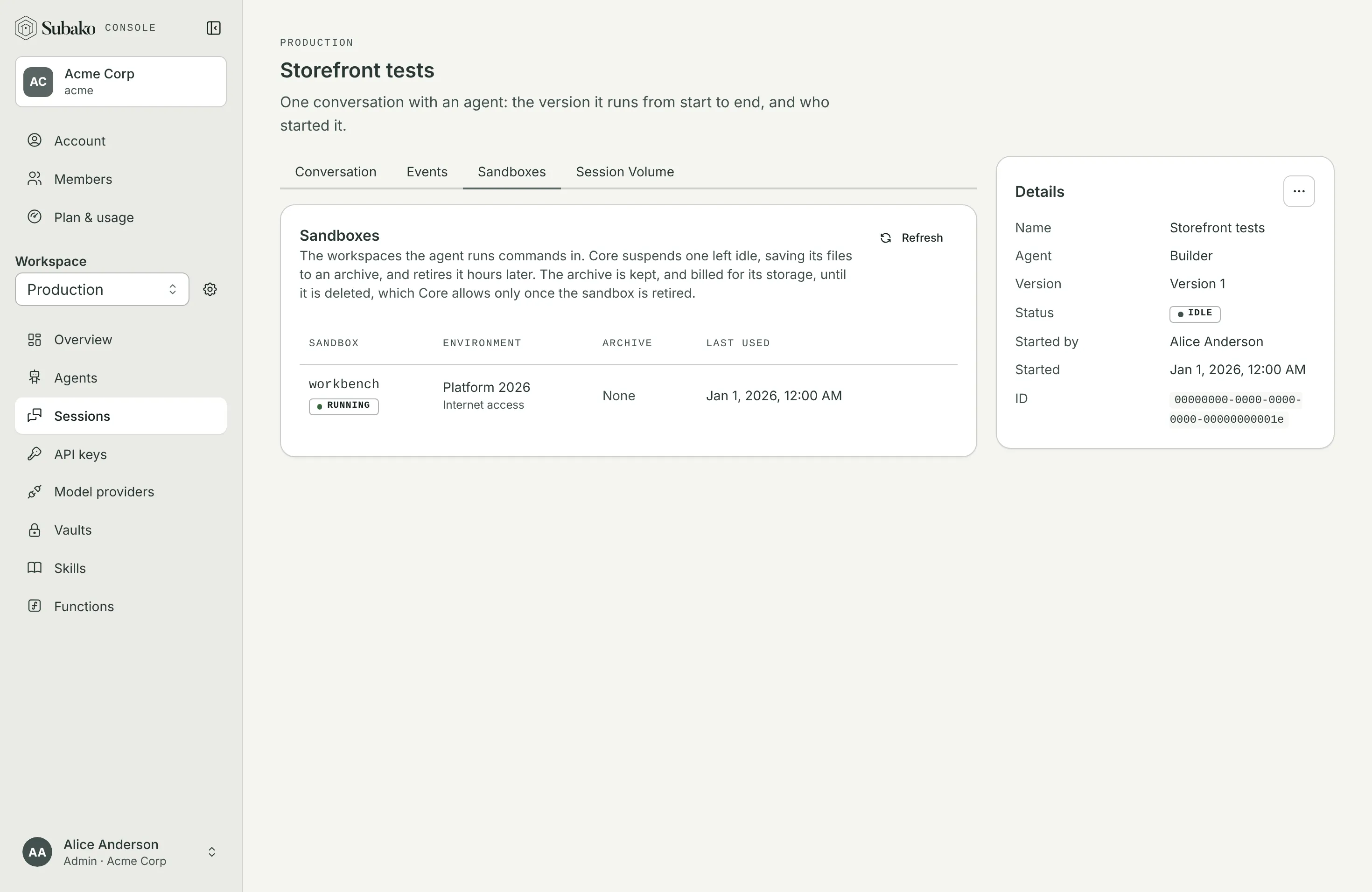
An archive is billed for its storage until it is deleted. See Plan and usage.